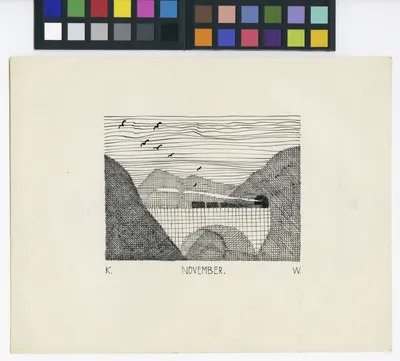
'November' by Karl Wiener. ca. 1920. | The Wien Museum Online Sammlung (edited by the Author)
issue #252 of brennan.day
I Would Have Written a Shorter Blog Post, But I Didn’t Have the Time: Creating a WriterDeck

brennan.day — issue #252
Publisher: Brennan Kenneth Brown
Place of publication: Calgary, Alberta, Canada
Available at: https://brennan.day
Contact: mail@brennanbrown.ca
On December 2nd, 1938, an issue of The Minneapolis Star first wrote the phrase "keep it simple, stupid." This phrase, in its brilliance, would end up becoming a design principle for the United States Navy in the 1960s.
Centuries before that, the over-talker Polonius in Shakespeare's Hamlet ironically exclaims that "brevity is the soul of wit".
This is not a new idea, and it is a good idea, isn't it? I thought about this phrase when I stumbled upon Rakhim Davletkaliyev's comic #19: Blogging vs. blog setups. It's a great illustration of how, very often, the more complicated something is—and also the more you discuss something—the less you are actually doing the thing.
I love writing, but does every blog post need to be 2,000 words? No, I don't think so.
I can think of another quote that is even more relevant. Blaise Pascal, in his work Lettres provinciales (Letter XVI) from 1657 wrote "Je n'ai fait celle-ci plus longue que parce que je n'ai pas eu le loisir de la faire plus courte" which translates to "I have made this [letter] longer only because I did not have the time to make it shorter."
It is easy to find yourself in complexity and elaboration. It takes less effort to explain things if you have an unlimited amount of time and space. I'm sure I don't need to tell you how LLM chatbots will almost always output far more paragraphs than needed.
Do you remember minimalism—I can't help but wonder what happened? Minimalism shifted from a popular lifestyle and design trend into something people seem to be actively moving away from. After peaking in the 2010s with the white walls, capsule wardrobes, and sparse rooms, the movement seemed to face major cultural and economic fatigue. By the early 2020s, designers themselves started publicly turning on it. Minimalist interiors were increasingly described as stiff and museum-like, and the COVID-19 pandemic pushed a lot of people to want their homes to feel personal and lived-in. There's a case to be made that maximalism isn't just a swing of the pendulum but a direct cultural backlash to minimalism's aesthetic and political baggage—the whole "less is more" doctrine has always had a certain chilliness to it, an implied judgment about what counts as an acceptable amount of stuff to own. There's also a generational note in all this, too, as people who grew up watching millennials curate their white walls and gray furniture are now openly mocking that palette as depressing and corporate. And I think there's something real in the argument that the "less is more" mandate was less about restraint than about a very specific and often expensive kind of taste. Garage sales would have done the trick for most people just as well as an expensive home overhaul.
There was a lot wrong with the aesthetic-as-a-movement, certainly, but the core principles seem to be something to follow rather than to avoid. Has everyone given up attempting restraint and—exhausted with the effort required simply to live—regressed back to over-consumption and carelessness with their attention?
If you take a look at my website you can see I am not at all a minimalist in my design philosophy. If anything, I'm a maximalist. I love to think of every possible thing I could add to my site that would make sense to, and then I add it.
Similarly, I will write about any subject on this blog. The topics are so ridiculously wide-ranging that no single reader could possibly be interested in every single thing I post.
But I do live a simple life that doesn't reflect my design philosophy, and I often think to myself how I can simplify further. What fat is there to trim—and what weight can be shed to lift the aircraft higher?
The Problem with Screens
Many people—if not everyone—wants to cut back on unhealthy or unproductive screen time. There is an entire industry created for blocking apps and dumbphones and distraction-free devices.
But one of the most important things you can do for yourself is use what you have, instead of just floundering back into consumption with a clever façade.
There is a wonderful growing trend of writer decks, which can be understood as devices dedicated to the act of writing and nothing else. I love seeing the DIY homebrew solutions out there, but most people who look into this seem to end up buying expensive dedicated devices, or install the (now unmaintained) WriteDeckOS.
The Solution? Rip out the desktop environment!
But I think the true solution here is both far more simple while also covering more than just writing. One of the easiest things you could do to both set up a writing machine and get closer towards digital minimalism is to remove your desktop environment entirely. Instead, you would be using a TTY/headless/command-line interface only.
There are many GNU/Linux-based operating systems that ship with this, most of which are designed for use as a server but can work perfectly fine here. Debian's netinst image is a good starting point: during setup you just skip the desktop environment screen entirely and select only "SSH server" and "standard system utilities," and from then on you're dropped straight into a login prompt with no GUI ever installed in the first place, here's a walkthrough of the whole process.
Ubuntu Server does the same thing, though its installer assumes a fair bit more disk space and RAM than Debian's does. And Arch Linux installs almost nothing by default, there's no "opt out of the desktop" step because there was never a desktop to begin with, you just add whatever you need afterward.
To really strip down to the studs, Alpine Linux is what you're looking for. A full disk install comes in around 130MB, against 500MB-plus for a minimal Ubuntu Server install, as it swaps out the usual GNU toolchain for musl libc and BusyBox.
The point is that, if you're using the terminal, then you still have access to many things, but lack access to what most people would typically find fun or distracting.
Terminal Applications
There's a lot you can do just through the terminal. To start, ranger handles file management with vim-style navigation and a three-pane view that previews whatever you've got selected.
For browsing the actual web, Lynx is the oldest web browser still being maintained, going back to 1992, and w3m is the newer and capable of showing inline images in terminals that support it. And Bombadillo is a combined Gopher, Gemini, and Finger client with vim-inspired keybindings.
For reading markdown properly, glow or mdcat will render with syntax highlighting. VisiData is for spreadsheets in the terminal, opening CSVs, TSVs, JSON, and even Excel files. epy reads EPUBs, FB2s, and MOBIs.
Email can be accessed with Alpine—the University of Washington's actively-maintained successor to Pine (not to be confused with the distro) or NeoMutt if you want something more configurable and scriptable.
For IRC, WeeChat is the scriptable, feature-heavy option and Irssi is the lightweight classic. Catgirl is a newer option with plenty of extensibility.
For music, cmus is a small standalone console player, or you can run MPD as a background daemon with ncmpcpp as the ncurses frontend, which allows music to keep playing after you close the client.
Newsboat is a great RSS reader. And for the weather, you don't even need to install anything, just run curl wttr.in and it prints a little ASCII forecast straight into your terminal.
And then you can use tmux to have multiple panes and persistent sessions you can detach from and reattach to later. A shell like fish gives you sane syntax highlighting and autosuggestions without any configuration, and Starship is a prompt that can show you git status, language versions, and battery life.
If you're someone that's never used the terminal before, then that's quite the learning curve and I'd recommend starting with a desktop environment and using these programs through a terminal emulator (like kitty, etc.) that way.
And even if you are someone that's used the terminal before, going terminal-only could be quite the challenge, I know it's going to be for me, but that's kind of the fun part. Not to mention that this set up makes the Tildeverse a first-class citizen, and would also greatly encourage my usage of the platforms I'm already on there.
The Actual Writing Part
Yes, this is in fact yet another elaborate blogging workflow post. Tricked you! Jokes aside, all of the quality-of-life and functionality you can get out of a terminal-only computer is still secondary to the writing itself, if that's what you intend to use this for.
Now, for me personally, I don't really struggle with distractions when writing blog posts like this. I do my first draft on 750words.com and then finish my editing in Sublime Text, using the terminal to push to GitLab which then automatically publishes to Netlify.
But I do want to start working on more longform work, a novel or memoir or something that can't be done in a single day, or week. Perhaps that would scratch the itch?. And I've always struggled with that kind of thing far more, so I think figuring out a way to have a far more limited device is the right answer.
There are plenty of tutorials out there that would explain how to use Vim or Emacs for this kind of set up, but sadly I am not a user of either. Instead, my set up uses the simple text editor Micro and the full-fledged terminal word processor WordGrinder.
Micro is what I use for everything that isn't longform prose. Config files, scripts, notes. It's kind of a spiritual successor to Nano, using the keybindings that you already know, Ctrl+S to save, Ctrl+C and Ctrl+V to copy and paste, rather than a modal system. It has mouse support, syntax highlighting for over a hundred languages, and a Lua plugin system.
For the prose, though, I use WordGrinder, which its own author describes as being designed to get the hell out of your way and let you write. It isn't a text editor and it also isn't trying to be Word. There's no WYSIWYG, no font selection, barely any styling at all. Rather, it's a character-cell word processor that handles words: paragraph styles, a running word count, HTML and Markdown import and export, and a menu you can pull up with Esc.
Document Management
Now, how do you get your files off the machine? Well, there are two easy ways: git or rsync. If you're syncing with git, a cron entry that commits and pushes on a schedule looks something like:
*/30 * * * * cd /path/to/manuscript && git add -A && git commit -m "autosave $(date)" && git push
drop that in with crontab -e and every 30 minutes, whatever you've written gets committed and pushed. If you'd rather not clutter your git history with a commit every half hour, rsync does the same job without version control:
*/30 * * * * rsync -avz /path/to/manuscript/ user@remote:/path/to/backup/
Either way, the whole point is that you stop thinking about it. People have been doing this for decades, for backups of everything, from Drupal sites to novels-in-progress, and once it's running, the only thing left for you to do is actually write.
This ties in well to my previous post about using 11ty and URLminder to keep yourself accountable with your word counts. Now, URLminder does require a public URL to track which rules out anything private, but I've come up with a rather simple solution for this. The workaround is obscurity. Deploy the rendered .txt manuscript to Netlify under a subdomain that's a long random string rather than a chosen name, eg. x7q2m9vb4k1p.netlify.app.
If you don't use a custom domain, and also don't link it anywhere, then the only two places that URL string exists are the Beeminder goal configuration and the Netlify dashboard. Your manuscript stays functionally private while still satisfying the Odometer-type goal that needs to read a publicly fetchable page.
Conclusion
So which is it—brevity or elaboration? It doesn't mean they have to be in opposition. I often find myself writing about things like Polonius and a Navy acronym and then somehow end up with a shopping list of console programs for reading your email. The KISS principle and Pascal's apology for a long letter are both about cutting what exists because you didn't take the time to be concise. A 2,000 word blog post is bloated if the idea inside it could have fit in 200. But sometimes an idea does need 2,000 words.
Novels, thick books, and the afternoons spent reading them are slow and enjoyable. Good, longform work is meant to be inhabited, not skimmed for the takeaway. We are actually in dire need of longform writing, read and written with intention. The problem is writing and building (or living) past the point where you were saying anything, just because it was easier than stopping. Trim what doesn't need to be there. Keep what does, no matter how long that turns out to be.



Comments
To comment, please sign in with your website:
How it works: Enter your website URL. IndieLogin checks your rel="me" links on GitHub, GitLab, Codeberg, and email. Setup instructions.
Signed in as: