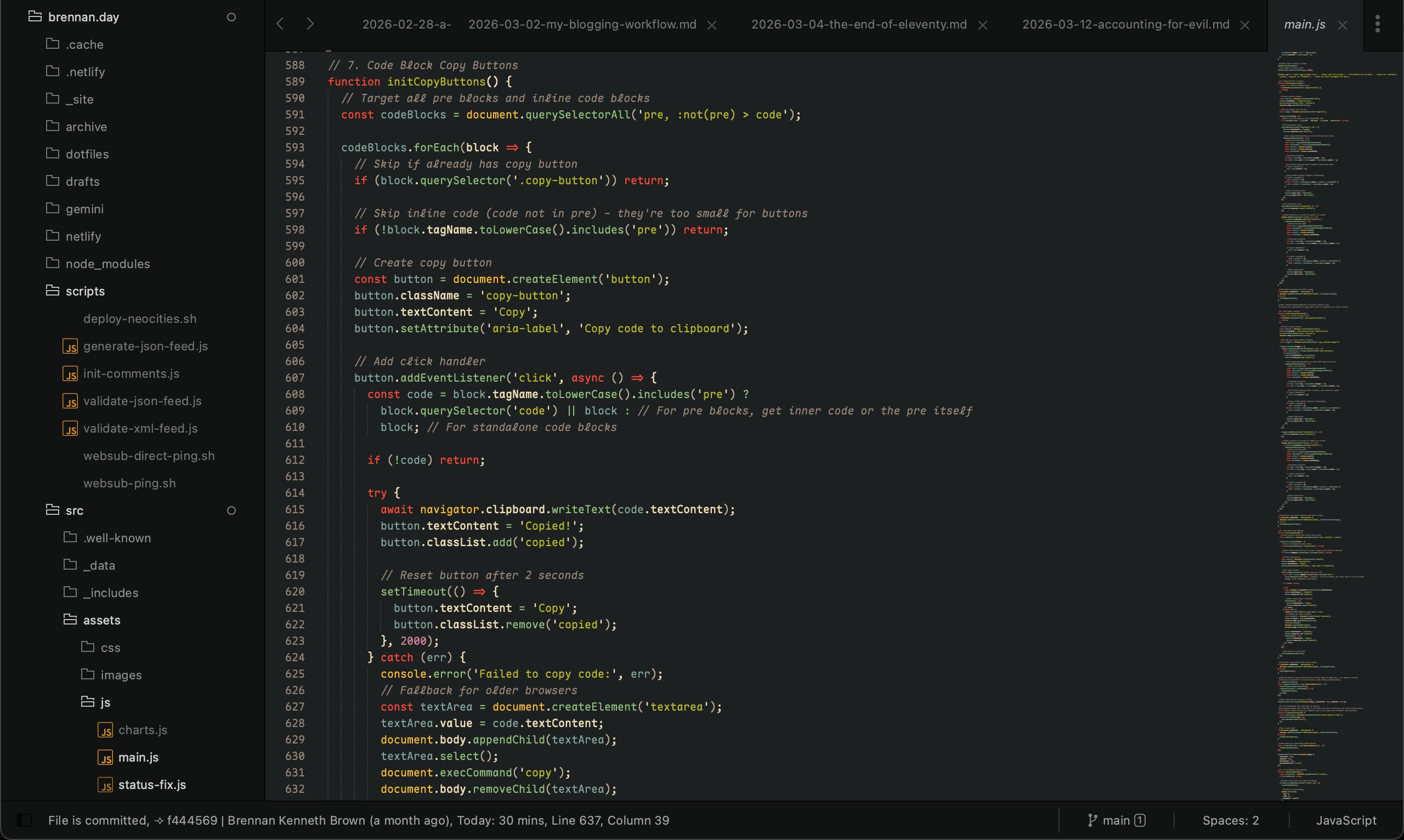
My site's file main.js open in Sublime Text 4 (of course, with the Gruvbox colour scheme) with the font Maple Mono
Building brennan.day Part Two: IndieWeb, New Features, and Three Months of Iterations

It's really hard for me to believe that it's been since December that I wrote Building brennan.day Part One, covering the design philosophy, rainbow aesthetic, and accessibility foundations of this site. I promised a follow-up about IndieWeb practices, progressive JavaScript use, and easter eggs.
Three months later! I've been building a lot since my previous post. It's incredibly fun to keep tinkering and adding little features to my home on the web. I've found myself working on my site nearly every single day without fail. To the point where it's become a procrastination whenever I don't feel like writing, hah!
I've written technical articles about several features, so I'll touch on those briefly before diving into the rest:
- IndieAuth Comment System: I built a comment system that lets you sign in with your own website. Comments are stored in the GitLab repository in a
.JSONfile, and the whole thing runs on Netlify Functions with proper CORS handling and PKCE security. - NeoCities Deployment: Using GitLab's CI/CD pipeline, I mirror my site to NeoCities automatically. The pipeline handles authentication fallbacks and filters unsupported file types. It's a nice redundant backup that also gets my site into NeoCities' ecosystem.
- Micropub Support: I can post to my weblog from anywhere using Quill or any other Micropub client. The serverless function handles token verification, formats content, generates slugs, and commits directly to GitLab.
- A Guestbook: I built a classic guestbook built with Netlify Forms, serverless functions, and retry logic.
- Post Graph Enhancement: I extended Robb Knight's post graph plugin with clickable links and hover tooltips that's near the bottom of my homepage. Each square now shows the post title and date, and clicking takes you directly to the article.
- Performance Optimization: I took my Lighthouse score from 65 to 83 through critical CSS inlining, image optimization, preconnect hints, and fixing layout shifts. I also migrated from CDN FontAwesome to the 11ty plugin for inline SVG sprites.
- No-JS Accessibility: My entire site works without JavaScript using progressive enhancement. CSS-based
.no-jsdetection, helpful noscript messages, and testing with Lynx terminal browser ensured compatibility. - Alphabetical Tag Organization: I organized my messy tag list into alphabetized sections with jump-to-letter navigation. This required custom JavaScript filters because Nunjucks couldn't handle complex object manipulation.
twtxtIntegration: My status.lol updates automatically sync to a twtxt feed, bridging IndieWeb tools with the decentralized microblogging protocol.- License Change: After having a discussion with Dr. Matt Lee (co-creator of the Fediverse), I switched all my code from MIT to AGPL-3.0 and content from CC BY-NC to CC BY-SA to better embrace copyleft principles.
Okay, with that review out of the way, let's talk about new features!
Code Block Copy Buttons
One of the most handy quality-of-life improvements I added is that now every code block gets an automatic copy button. The implementation uses Clipboard API, with a fallback for older browsers.
// Automatic copy buttons for code blocks
function initCopyButtons() {
  const codeBlocks = document.querySelectorAll('pre');

  codeBlocks.forEach(block => {
    if (block.querySelector('.copy-button')) return;

    const button = document.createElement('button');
    button.className = 'copy-button';
    button.textContent = 'Copy';
    button.setAttribute('aria-label', 'Copy code to clipboard');

    button.addEventListener('click', async () => {
      const code = block.querySelector('code') || block;

      try {
        // Modern Clipboard API
        await navigator.clipboard.writeText(code.textContent);
        button.textContent = 'Copied!';
        button.classList.add('copied');

        setTimeout(() => {
          button.textContent = 'Copy';
          button.classList.remove('copied');
        }, 2000);
      } catch (err) {
        // Fallback for older browsers
        const textArea = document.createElement('textarea');
        textArea.value = code.textContent;
        document.body.appendChild(textArea);
        textArea.select();
        document.execCommand('copy');
        document.body.removeChild(textArea);

        button.textContent = 'Copied!';
        button.classList.add('copied');
        setTimeout(() => {
          button.textContent = 'Copy';
          button.classList.remove('copied');
        }, 2000);
      }
    });

    block.appendChild(button);
  });
}

// Initialize on load and watch for dynamic content
initCopyButtons();
const copyButtonObserver = new MutationObserver(() => {
  setTimeout(initCopyButtons, 100);
});
copyButtonObserver.observe(document.body, { childList: true, subtree: true });
Webmentions Display
I haven't written a full tutorial on this yet, but I integrated webmentions using webmention.io. The system fetches mentions during build time and displays them alongside comments. You can see this at the bottom of every post! Each webmention shows:
- Author avatar (with placeholder fallback)
- Author name and website link
- Mention content
- Mention type (reply, like, repost, etc.)
This requires handling of both array and object formats from the API, as well as avatar sizing and flexbox alignment.
// Webmentions filter with array/object handling
eleventyConfig.addFilter("webmentions", function(webmentions, url) {
  if (!webmentions) return [];

  // Handle both array and object formats from API
  const mentions = Array.isArray(webmentions)
    ? webmentions
    : (webmentions.children || []);

  // Filter mentions for this URL
  return mentions.filter(mention => {
    const target = mention['wm-target'];
    return target && target.includes(url);
  }).map(mention => ({
    type: mention['wm-property'],
    author: {
      name: mention.author?.name || 'Anonymous',
      photo: mention.author?.photo || '/assets/images/default-avatar.png',
      url: mention.author?.url
    },
    content: mention.content?.html || mention.content?.text || '',
    published: mention.published || mention['wm-received'],
    url: mention.url
  }));
});
Archive Page Thumbnails
I don't use pagination on my blog (why? I don't have a good answer). Instead, I have my most recent posts on the homepage, and then an archive that lists all my posts ever. I decided to make this page more visually interesting by adding:
- Featured image thumbnails using
@11ty/eleventy-imgfor automatic optimization - Word count display for each post
- Comment count badges
- Monthly post counts in the navigation
The thumbnail generation uses async shortcodes rather than filters to avoid premature template content access, which is important in 11ty:
// Archive page thumbnail generation with @11ty/eleventy-img
const Image = require("@11ty/eleventy-img");

eleventyConfig.addAsyncShortcode("thumbnail", async function(src, alt) {
  if (!src) return '';

  // Generate optimized thumbnail
  let metadata = await Image(src, {
    widths: [200, 400],
    formats: ["webp", "jpeg"],
    outputDir: "./_site/assets/thumbnails/",
    urlPath: "/assets/thumbnails/"
  });

  let imageAttributes = {
    alt,
    sizes: "200px",
    loading: "lazy",
    decoding: "async"
  };

  return Image.generateHTML(metadata, imageAttributes);
});
System Font Migration
I decided to ditch Google Fonts entirely and switch to system font stacks, using Modern Font Stacks. This removed three external HTTP requests and ~750ms from first paint.
The new stacks use:
- Geometric Humanist for headings (Avenir, Montserrat, Corbel, sans-serif fallbacks)
- Old Style Serif for body text (Iowan Old Style, Palatino Linotype, URW Palladio L, serif fallbacks)
- Monospace Code for code/metadata (ui-monospace, Cascadia Code, Menlo, Consolas, monospace fallbacks)
The performance gain was definitely worth the aesthetic trade-off.
/* System font stacks for performance */
:root {
  /* Geometric Humanist - headings */
  --font-heading: "Avenir Next", Avenir, Montserrat, Corbel,
    "URW Gothic", source-sans-pro, system-ui, sans-serif;

  /* Old Style Serif - body text */
  --font-body: 'Iowan Old Style', 'Palatino Linotype',
    'URW Palladio L', P052, serif;

  /* Monospace Code */
  --font-mono: ui-monospace, 'Cascadia Code', 'Source Code Pro',
    Menlo, Consolas, 'DejaVu Sans Mono', monospace;
}

body {
  font-family: var(--font-body);
  font-weight: 400;
}

h1, h2, h3, h4, h5, h6 {
  font-family: var(--font-heading);
  font-weight: 900; /* Heavy weight for visual impact */
}

code, pre {
  font-family: var(--font-mono);
}
Custom Cursor Set
I added the Tomatic cursor set by JefTriForce to my site. I feel as though it gives my blog a retro, playful feel! To my dismay, I was surprised to see a lot of people commenting on my site from other sites (Reddit, Lobste.rs) don't actually like custom cursors!
So, I also the option to disable custom cursors in my footer, and the choice is saved in persistent storage:
function initCursorToggle() {
  const cursorToggle = document.getElementById('cursor-toggle');
  if (!cursorToggle) return;

  // Load saved preference
  const cursorEnabled = localStorage.getItem('customCursor') !== 'false';
  cursorToggle.checked = cursorEnabled;
  applyCursorSetting(cursorEnabled);

  // Handle toggle changes
  cursorToggle.addEventListener('change', (e) => {
    const isEnabled = e.target.checked;
    localStorage.setItem('customCursor', isEnabled);
    applyCursorSetting(isEnabled);
  });
}

function applyCursorSetting(enabled) {
  const body = document.body;
  const style = document.getElementById('cursor-toggle-styles') || document.createElement('style');
  style.id = 'cursor-toggle-styles';

  if (enabled) {
    // Remove any override styles
    style.textContent = '';
  } else {
    // Add styles to override custom cursors
    style.textContent = `
      * {
        cursor: auto !important;
      }
Image Alt-Text Tooltips
Every image with alt text displays a tooltip on hover. This implementation uses requestAnimationFrame to batch DOM reads and writes, preventing layout thrashing and keeping performance smooth.
// Image tooltip with performance optimization
function initImageTooltips() {
  const tooltip = document.createElement('div');
  tooltip.className = 'image-tooltip';
  tooltip.setAttribute('role', 'tooltip');
  document.body.appendChild(tooltip);

  const images = document.querySelectorAll('img[alt]');

  images.forEach(img => {
    // Skip empty or placeholder alt text
    if (!img.alt.trim() || img.alt === 'image') return;

    img.addEventListener('mouseenter', (e) => {
      tooltip.textContent = img.alt;
      tooltip.classList.add('visible');

      // Batch DOM reads and writes with requestAnimationFrame
      requestAnimationFrame(() => {
        // Read phase - all measurements together
        const rect = img.getBoundingClientRect();
        const tooltipRect = tooltip.getBoundingClientRect();
        const scrollY = window.scrollY;
        const scrollX = window.scrollX;

        // Calculate position
        let top = rect.top - tooltipRect.height - 10;
        let left = rect.left + (rect.width - tooltipRect.width) / 2;

        // Keep within viewport
        if (top < scrollY) {
          top = rect.bottom + 10;
        }

        // Write phase - all DOM updates together
        tooltip.style.top = `${top}px`;
        tooltip.style.left = `${left}px`;
      });
    });

    img.addEventListener('mouseleave', () => {
      tooltip.classList.remove('visible');
    });
  });
}
This pattern—batching reads before writes—prevents forced reflows and is the same technique I used to fix performance issues mentioned in my performance optimization article.
Feed Validation and RSS Improvements
I created scripts to validate both RSS and JSON feeds, trying my best to make sure they meet spec requirements. The feeds include:
- Author cards with h-card microformats
- HTML cleanup filters to remove navigation from excerpts
- Timezone-aware date handling
- Proper content vs. summary distinction
// RSS feed validation and improvements
const { Feed } = require('feed');
const { DateTime } = require('luxon');

const feed = new Feed({
  title: "brennan.day",
  description: "Personal site and blog",
  id: "https://brennan.day/",
  link: "https://brennan.day/",
  language: "en",
  image: "https://brennan.day/assets/images/brennan.jpg",
  favicon: "https://brennan.day/favicon.ico",
  copyright: "CC BY-SA 4.0",
  feedLinks: {
    rss: "https://brennan.day/feed.xml",
    json: "https://brennan.day/feed.json"
  },
  hub: "https://pubsubhubbub.superfeedr.com/" // WebSub hub
});

// Add posts with proper timezone handling
collection.posts.forEach(post => {
  const date = DateTime.fromJSDate(post.date, {
    zone: "America/Edmonton"
  });

  feed.addItem({
    title: post.data.title,
    id: `https://brennan.day${post.url}`,
    link: `https://brennan.day${post.url}`,
    description: post.data.summary,
    content: post.content, // Full content
    date: date.toJSDate(),
    published: date.toJSDate()
  });
});
Git Commit Metadata
At the very bottom of the site footer, there's a display of the current git commit hash and build date, linking directly to the commit on GitLab. This shows exactly when the site was last updated and also helps with debugging.
eleventyConfig.addGlobalData("gitCommit", () => {
  try {
    return execSync('git rev-parse --short HEAD').toString().trim();
  } catch(e) {
    return 'unknown';
  }
});
Status.lol Integration
My sidebar now displays my latest status update from status.lol, fetched via the omg.lol API during build time. The same data also feeds into the twtxt integration.
Note: There is a bit of a bug with how the Mastodon URL is rendered though, so I had to make an entire custom script to address that.
// Fetch status.lol updates at build time
const EleventyFetch = require("@11ty/eleventy-fetch");

eleventyConfig.addGlobalData("statuslog", async () => {
  try {
    let json = await EleventyFetch(
      "https://api.omg.lol/address/brennan/statuses/",
      {
        duration: "1h", // Cache for 1 hour
        type: "json"
      }
    );

    // Transform statuses for display
    return json.response.statuses.map(status => ({
      emoji: status.emoji || '',
      content: status.content,
      created: new Date(parseInt(status.created) * 1000),
      relativeTime: status.relative_time
    }));
  } catch (error) {
    console.error('Failed to fetch status.lol:', error);
    return [];
  }
});
New Pages
- I created a handy /start-here page for new visitors that the hero section directly links to now, giving a detailed explanation of the site and curated recommendations.
- I created a dedicated /dotfiles page with my macOS configuration files themed with Gruvbox palette. The page includes download functionality and explanations for each config file. It's become a good reference for me when setting up new machines.
- I added technology icons to my work on the /projects page.
- Using
Chart.js, I built an interactive /charts page visualizing my posts per week with trend lines, publishing consistency, and tag distribution. Clicking a tag in the pie chart takes you to that tag's page. For users without JavaScript, there's a noscript fallback explaining the limitation. - I created a /support page explaining how people can financially support my work. Instead of multiple tiers, I offer a single "Toonie Club" membership—a simple, Canadian approach to recurring support.
- Finally, I created an /indieweb to showcase helpful resources as well as my blog themes and tools I've created.
Points of Note
These are much smaller features and additions that I wanted to share.
Inversing .svg Files
I wrote about my webrings at length in my previous post on being web neighobours. The XXIIVV ring was interesting because it's an icon instead of a link, so I needed to handle theme switching with CSS filters instead of duplicating images:
/* Dark mode webring icon handling with CSS filters */
.webring-icon {
  filter: none;
  transition: filter 0.3s ease;
}

/* Invert icon colors in dark mode */
.dark-mode .webring-icon {
  filter: invert(1) hue-rotate(180deg);
}

/* Custom styling for webring navigation */
.webring-item {
  display: flex;
  align-items: center;
  gap: 1rem;
  padding: 0.5rem;
  border: 1px solid var(--border);
  border-radius: 4px;
}
I use the same inversion technique for the hero doodle of my beloved fortune cat and my signature on the homepage!
Modular CSS with Caching
Instead of one massive stylesheet, I split my vanilla CSS into 11 separate files organized by purpose:
01-variables.css- CSS custom properties and theme variables02-base.css- Reset and base element styles03-typography.css- Font families, headings, and text styles04-layout.css- Grid systems and layout containers05-content.css- Article and post content styles06-forms.css- Form inputs and interactive elements07-interactive.css- Buttons, links, and hover states08-features.css- Site-specific features and components09-footer.css- Footer-specific styles10-utilities.css- Helper classes and utilities11-responsive.css- Media queries and responsive adjustments
To ensure browsers cache these files properly while invalidating the cache when I make updates, I created an assetHash filter that generates an MD5 hash of each file's contents:
// Cache busting with content-based hashing
const crypto = require('crypto');
const fs = require('fs');

eleventyConfig.addFilter("assetHash", (assetPath) => {
  try {
    const fullPath = path.join(__dirname, 'src', assetPath);
    if (fs.existsSync(fullPath)) {
      const fileContents = fs.readFileSync(fullPath, 'utf8');
      const hash = crypto.createHash('md5')
        .update(fileContents)
        .digest('hex')
        .substring(0, 8);
      return `${assetPath}?v=${hash}`;
    }
  } catch (error) {
    console.warn(`Could not generate hash for ${assetPath}:`, error.message);
  }
  return assetPath;
});
Then in the base template, I load each CSS file with the hash:
<!-- Non-critical CSS - Deferred loading -->
<link rel="stylesheet"
      href="{{ '/assets/css/01-variables.css' | assetHash }}"
      media="print"
      onload="this.media='all'">
<link rel="stylesheet"
      href="{{ '/assets/css/02-base.css' | assetHash }}"
      media="print"
      onload="this.media='all'">
<!-- ... and so on for each file -->
The media="print" onload="this.media='all'" technique defers CSS loading without blocking render, and the hash ensures that when I update any file, browsers fetch the new version immediately.
Markdown-it Extensions
I added several markdown-it plugins:
- Footnotes for academic-style citations
- Definition lists for glossaries
- Abbreviations with automatic
<abbr>tags - Insert/mark for highlighting changes
These extensions give me more options in my writing without requiring raw HTML.
// Markdown-it extensions configuration
const markdownIt = require("markdown-it");
const markdownItFootnote = require("markdown-it-footnote");
const markdownItDeflist = require("markdown-it-deflist");
const markdownItAbbr = require("markdown-it-abbr");
const markdownItIns = require("markdown-it-ins");
const markdownItMark = require("markdown-it-mark");

let mdOptions = {
  html: true,
  breaks: false,
  linkify: true
};

let md = markdownIt(mdOptions)
  .use(markdownItFootnote)    // [^1] footnote syntax
  .use(markdownItDeflist)     // term : definition lists
  .use(markdownItAbbr)        // *[HTML]: HyperText Markup Language
  .use(markdownItIns)         // ++inserted text++
  .use(markdownItMark);       // ==marked text==

eleventyConfig.setLibrary("md", md);
Service Worker for Offline Support
I implemented a service worker that caches the entire site for offline browsing. Once you've visited, you can read any page without an internet connection. The worker uses a cache-first strategy for static assets and a network-first strategy for HTML to ensure fresh content when online.
The service worker also handles the archive page's lazy-loaded images, pre-caching thumbnails in the background.
// Service worker for offline support
const CACHE_NAME = 'brennan-day-v1';
const STATIC_ASSETS = [
  '/',
  '/assets/css/stylesheet.css',
  '/assets/js/main.js',
  '/offline/'
];

// Install event - cache static assets
self.addEventListener('install', (event) => {
  event.waitUntil(
    caches.open(CACHE_NAME)
      .then(cache => cache.addAll(STATIC_ASSETS))
  );
});

// Fetch event - serve from cache, fallback to network
self.addEventListener('fetch', (event) => {
  event.respondWith(
    caches.match(event.request)
      .then(response => {
        // Return cached version or fetch from network
        return response || fetch(event.request)
          .then(fetchResponse => {
            // Cache successful responses
            return caches.open(CACHE_NAME)
              .then(cache => {
                cache.put(event.request, fetchResponse.clone());
                return fetchResponse;
              });
          });
      })
      .catch(() => {
        // Return offline page for navigation requests
        if (event.request.mode === 'navigate') {
          return caches.match('/offline/');
        }
      })
  );
});
WebSub Real-Time Updates
The lovely Ritual created a tool called Scan.FYI which allows you to easily check which IndieWeb protocols your site is successfully supporting. I tried it out and found I had 8 out of 9 already, yipee! Of course, I wanted a perfect score, so I added WebSub (formerly PubSubHubbub) support so subscribers get instant notifications when I publish new posts. The RSS feed includes the hub link, and a Netlify function pings the hub after each deploy.
Now, subscribers receive updates as fast as any dynamic CMS.
// WebSub ping after site deploy
const fetch = require('node-fetch');

async function pingWebSubHub() {
  const hubUrl = 'https://pubsubhubbub.superfeedr.com/';
  const topicUrl = 'https://brennan.day/feed.xml';

  const params = new URLSearchParams({
    'hub.mode': 'publish',
    'hub.url': topicUrl
  });

  try {
    const response = await fetch(hubUrl, {
      method: 'POST',
      headers: { 'Content-Type': 'application/x-www-form-urlencoded' },
      body: params
    });

    console.log('WebSub ping:', response.status);
  } catch (error) {
    console.error('WebSub ping failed:', error);
  }
}

// Call after successful build
pingWebSubHub();
Easter Eggs
As promised in Part One, there are several easter eggs hidden around the site. These are the most interesting and fun additions to the project, and so this section can be a bit of a spoiler! Leave now if you want to try to find these out on your own through exploring.
Dynamic Footer Clock
This is easily one of my favourite features I've added. Beside the copyright/creative commons notice, there's a text-based clock displaying a message that changes throughout the day. Early morning visitors see sunrise imagery, midnight readers get contemplative messages, and everything in between has its own character.
// Dynamic footer messages based on time of day
function updateFooterMessage() {
  const footer = document.querySelector('.site-footer-copyright p');
  if (!footer) return;

  const now = new Date();
  const hour = now.getHours();
  const minute = now.getMinutes();
  let message = '';

  // Early morning (5:00-8:00)
  if (hour >= 5 && hour < 8) {
    if (hour === 5 && minute < 30) {
      message = '🪐 The deepest hour before dawn.';
    } else if (hour === 5 && minute >= 30) {
      message = '🌅 First light breaks the darkness.';
    }
    // ... more time slots
  }
  // Late morning, afternoon, evening, night...

  // Append message to footer
  const ccText = footer.innerHTML;
  if (!ccText.includes('·')) {
    footer.innerHTML = `${ccText} · ${message}`;
  } else {
    const parts = footer.innerHTML.split('·');
    parts[parts.length - 1] = ` ${message}`;
    footer.innerHTML = parts.join('·');
  }
}

// Update on load and every minute
updateFooterMessage();
setInterval(updateFooterMessage, 60000);
The function checks every minute and updates the message based on 30-minute intervals throughout the entire 24-hour cycle. I think it makes my site feel alive and greets people when they visit.
Konami Code: Sunflower Rain
The classic Konami code (↑↑↓↓←→←→BA) triggers a delightful sunflower rain animation. When activated, dozens of sunflowers fall from the top of the screen with randomized sizes, positions, and rotation.
// Konami Code detection
const konamiCode = ['ArrowUp', 'ArrowUp', 'ArrowDown', 'ArrowDown',
                    'ArrowLeft', 'ArrowRight', 'ArrowLeft', 'ArrowRight',
                    'b', 'a'];
let konamiIndex = 0;

document.addEventListener('keydown', (e) => {
  if (e.key === konamiCode[konamiIndex]) {
    konamiIndex++;
    if (konamiIndex === konamiCode.length) {
      triggerSunflowerRain();
      konamiIndex = 0;
    }
  } else {
    konamiIndex = 0; // Reset if wrong key pressed
  }
});

function triggerSunflowerRain() {
  console.log('%c🌻🌻🌻 SUNFLOWER RAIN! 🌻🌻🌻',
    'font-size: 30px; color: #b57614;');

  for (let i = 0; i < 50; i++) {
    setTimeout(() => {
      const sunflower = document.createElement('div');
      sunflower.innerHTML = '🌻';
      sunflower.style.cssText = `
        position: fixed;
        top: -50px;
        left: ${Math.random() * 100}%;
        font-size: ${20 + Math.random() * 30}px;
        z-index: 9999;
        pointer-events: none;
        animation: fall ${3 + Math.random() * 2}s linear;
        transform: rotate(${Math.random() * 360}deg);
      `;
      document.body.appendChild(sunflower);

      // Auto-cleanup after animation
      setTimeout(() => sunflower.remove(), 5000);
    }, i * 100); // Stagger the sunflowers
  }
}
Zen Mode
Press Ctrl+Shift+Z to activate Zen Mode, which fades out the header, sidebar, and footer, leaving just the content. It even adjusts for dark mode automatically.
function toggleZenMode() {
  const body = document.body;
  const isZenMode = body.classList.contains('zen-mode');

  if (isZenMode) {
    body.classList.remove('zen-mode');
    document.querySelector('#zen-mode-styles')?.remove();
  } else {
    body.classList.add('zen-mode');

    // Inject zen mode styles
    const style = document.createElement('style');
    style.id = 'zen-mode-styles';
    style.textContent = `
      .zen-mode .site-header,
      .zen-mode .sidebar,
      .zen-mode .post-graph,
      .zen-mode .site-footer nav {
        opacity: 0.1;
        transition: opacity 0.5s ease;
      }
      .zen-mode .site-header:hover,
      .zen-mode .sidebar:hover {
        opacity: 0.3; /* Show faintly on hover */
      }
      .zen-mode main {
        max-width: 65ch;
        margin: 0 auto;
        font-size: 1.2rem;
        line-height: 1.8;
      }
    `;
    document.head.appendChild(style);
  }
}
Re-enable the Hero Section
If you've ever hidden the hero above the recent posts on the homepage, you can re-enable it by clicking the period at the very end of the land acknowledgement in the footer.
  <div class="site-footer-land" aria-label="Land acknowledgement">
    <p class="meta">
      "I live and work on Treaty 7 territory in Calgary, Alberta, the traditional lands of the Blackfoot Confederacy (Siksika, Kainai, Piikani), the Tsuut'ina Nation, and the Stoney Nakoda Nations (Îyâxe Nakoda, Bearspaw, Chiniki), and in the homeland of the Métis Nation of Alberta"
      <span class="footer-easter-egg js-required" onclick="restoreHero()" title="Click to restore the hero section">.</span>
    </p>
  </div>
What I've Learned
I love building in public. It's so fun to be totally independent and not worry about pushing code straight to production.
- Iterate on the fly. I've made over 600 commits, many fixing tiny things or improving small details. Don't be afraid to get your hands dirty and show it off to the public.
- Let things happen. None of these features I planned before hand, nearly all of them were made on a whim or impulse. Like my writing, if I had set out from the beginning to have all of these features, it would have been way too overwhelming!
- The Internet is about people. Nearly every feature I add is about connecting with other humans.
- Static does not have to mean simple! With serverless functions, API integrations, and build-time data fetching, a static site like mine rivals any CMS in terms of functionality.
- Documentation matters. Writing out technical posts about new additions helps me understand what I'm doing better, and hopefully helps others build similar things. (Plus I get a blog post out of it.)
- Performance is balance. The joy of a rainbow animation or a custom cursor is worth the extra few milliseconds.
What's Next?
There are still features on the roadmap:
- Media endpoint for Micropub (image uploads)
- Reply threading for comments
- Automated syndication to the Fediverse
- More easter eggs (I won't spoil these)
- A "random post" button for serendipitous discovery
But for now, I'm happy with what exists. This site is exactly what I wanted: a personal corner of the web that's mine, that connects me to others, and that brings me joy every time I work on it.
If you're thinking about building your own site, I encourage you to start. Don't wait for the perfect design or the complete feature set. Start with HTML and CSS, add features as you learn, and share your progress. The IndieWeb needs more voices, more perspectives, more weird and wonderful sites.
Thanks for reading!
What features would you like to see covered in more detail? Leave a comment below, or write a response on your own site and send me a webmention!

Comments
To comment, please sign in with your website:
How it works: Your website needs to support IndieAuth. GitHub profiles work out of the box. You can also use IndieAuth.com to authenticate via GitLab, Codeberg, email, or PGP. Setup instructions.
Signed in as: