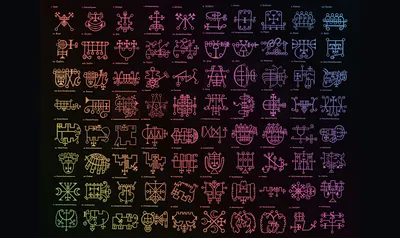
'72 Goeta Sigils' by S.L. MacGregor Mathers and Aleister Crowley from 'The Book of the Goetia of Solomon the King.' 1904. | Wikimedia Commons (edited by the Author)
issue #219 of brennan.day
Blogging with Magic Unicode: Simple Doesn't Have to Mean Boring!


brennan.day — issue #219
Publisher: Brennan Kenneth Brown
Place of publication: Calgary, Alberta, Canada
Available at: https://brennan.day
Contact: mail@brennanbrown.ca
Hello, webcrafters! It is currently nearly two in the morning, but I really need to hash this out while it's still fresh in my head. One thing I notice about personal websites and the IndieWeb, especially platforms like Bear Blog, is the simplicity. Which I love! The second thing I notice is the plain boringness, which is not the same thing, and something I don't like!
One thing I've noted previously in my musings on the IndieWeb is that there is a tricky balance between accessibility and joy. There are beautiful and amazing artisanal handcrafted sites all over Neocities, some of which proudly boast they don't display properly on mobile screens. That's fine, but how do they deal with screen readers, and other assistive technologies? I already wrote a blog post about web accessibility, so I won't repeat myself here.
What I do want to do is figure out ways to incorporate visual interest into your website while keeping it minimal, speedy, brutalist even. I understand there is a group of people online that appreciate when they encounter a blog and there's only a readable body of text and a good-contrast background. To be fair, that's predominantly what my website is. I have a rather busy sidebar, but I have the keyboard shortcut (ctrl+shift+Z) to enable focus mode. (There's an easter egg spoiler, for ya!)
1. Colours
Did you know CSS has variables now? I mean, it has for a decade, but that's beside the point. The spec wants you to call them CSS custom properties.
At the very top of your stylesheet, wrapped inside a :root selector, you can build a legend, a key, a little glossary of every colour your site uses:
:root {
  --color-ink: #1a1a1a;
  --color-paper: #faf8f3;
  --color-accent: #d6473b;
  --color-link: #3b6bd6;
  --color-muted: #6b6b6b;
}

body {
  color: var(--color-ink);
  background: var(--color-paper);
}

a {
  color: var(--color-link);
}
Now the whole site answers to five names instead of scattered hex codes hiding in different rules.
Want a dark mode? Swap the values inside a @media (prefers-color-scheme: dark) block and every single reference updates everywhere at once.
/* Dark mode via system preference */
@media (prefers-color-scheme: dark) {
  :root {
    --color-ink: #f0ede8;
    --color-paper: #1a1a1a;
    --color-accent: #e85a4f;
    --color-link: #7aa2f7;
    --color-muted: #a0a0a0;
  }
}
Here's the actual colour legend from my own site Brennan.day, which uses the Gruvbox palette:
:root {
  color-scheme: light dark;

  /* Base colors (light mode) */
  --bg: #fbf1c7;
  --bg-alt: #f9f5d7;
  --panel: #f2e5bc;
  --fg: #3c3836;
  --muted: #665c54;
  --border: #7c6f64;

  --accent-primary: #9a2420;
  --accent-secondary: #076678;
  --code-inline: #5c7a8c;
  --code-bg: #fdf6e4;

  /* Link colors */
  --link: var(--accent-primary);
  --visited: #b16286;

  /* Navigation rainbow colors */
  --nav-red: #cc241d;
  --nav-orange: #d65d0e;
  --nav-yellow: #d79921;
  --nav-green: #98971a;
  --nav-aqua: #689d6a;
  --nav-blue: #458588;
  --nav-purple: #b16286;
}

@media (prefers-color-scheme: dark) {
  :root {
    --bg: #282828;
    --bg-alt: #32302f;
    --panel: #1d2021;
    --fg: #ebdbb2;
    --muted: #a89984;
    --border: #504945;

    --accent-primary: #7b9b8f;
    --accent-secondary: #de402e;
    --code-inline: #eaafaf;
    --code-bg: #32302f;

    --link: var(--accent-primary);
    --visited: #d3869b;

    --nav-red: #fb4934;
    --nav-orange: #fe8019;
    --nav-yellow: #fabd2f;
    --nav-green: #b8bb26;
    --nav-aqua: #8ec07c;
    --nav-blue: #83a598;
    --nav-purple: #d3869b;
  }
}
Palettes
If you're hunting for a starting palette instead of building one from scratch, there's no shortage of tools built exactly for this.
- Radix Colors offers full accessible 12-step scales. Backgrounds, borders, text, hover states, all pre-matched to hue-appropriate greys and ready to drop straight into that
:rootlegend above. - Realtime Colors allows you to plug in a palette and it will paint an entire mock website with it with contrast ratios, so you're not guessing what a 4.5:1 ratio looks like.
- WebAIM's Contrast Checker is the industry-standard tool. See if a foreground and background hex passes or fails, AA or AAA.
- Accessible Palette uses the CIELAB colour model to generate shades that stay consistent as they get lighter or darker, if you'd rather build your own scale from a starting colour.
It's important to note that the majority of text on your site should use neutral colours that have strong contrast with the background, but there are plenty of places to sprinkle in fun colours. Links, headers, and symbols (which I'll get to in my next section). And more importantly, you can add colours on interactions like hovers and clicks, and these can be on backgrounds, not just the text colour itself.
2. Borders
Borders are underrated. Everyone reaches for colour first, but a single line that's one or two pixels can reshape how a site feels to move through.
Where you put the border is important. A full box around the whole body makes the content feel contained, perhaps more formal. A border on the left edge of a blockquote emphasizes that it's someone else's voice. A rule along the top and bottom of each post turns a long scroll of text into a stack of distinct objects, a stack of index cards you're flipping through.
/* the content of the site, boxed like a page */
body {
  max-width: 40em;
  margin: 2rem auto;
  padding: 2rem;
  border: 1px solid var(--color-ink);
}

/* a post divided from other posts, top and bottom only */
article {
  padding: 2rem 0;
  border-top: 1px solid var(--color-muted);
  border-bottom: 1px solid var(--color-muted);
}

/* an aside, left edge only */
blockquote {
  margin-left: 0;
  padding-left: 1rem;
  border-left: 3px solid var(--color-accent);
}
It doesn't need to be solid, either. Styles like border-style: dashed or dotted give it a different quality entirely, almost handmade or zine-like. Doubling a border creates frame effect.
And if you want the visual weight of a border without it eating into the box model, box-shadow: 0 0 0 1px var(--color-ink) draws a border that doesn't affect layout, sizing, or spacing calculations.
Is the body in a bordered box? Each individual post? Just the pull-quotes? Try it. See if there's anything interesting that sticks.
3. Fonts
Now, as much as I enjoy adding custom fonts to my sites, I completely agree that they aren't necessary and are also rather bulky and slow loading times for end-users. What I do suggest instead is a site like Modern Font Stacks which will give you a system font stack CSS organized by typeface classification which will use built-in fonts on every modern OS.
If you are looking for custom fonts, I'd recommend checking out Bunny Fonts as an alternative to Google Fonts!
4. Other Tricks
A few more tips and tricks while I'm here, none of which need more than a couple lines of CSS:
Style ::selection. This is the colour someone sees when they click-and-drag to highlight your text, and is almost always some default blue nobody actually chose. Two lines fixes that:
::selection {
  background: var(--color-accent);
  color: var(--color-paper);
}
Style ::marker. List bullets are pseudo-elements too, and you can restyle them directly now instead of hacking around with list-style: none and a fake icon image. You can also swap the bullet for one of the Unicode symbols I'm about to get into:
li::marker {
  content: "◆  ";
  color: var(--color-accent);
}
Play with text-decoration. An underline on links can also be changed! text-decoration-thickness, text-underline-offset, and text-decoration-style: wavy | dotted | dashed are all properties you can use to change it:
a {
  text-decoration-style: dotted;
  text-decoration-thickness: 2px;
  text-underline-offset: 3px;
}
PART TWO: Symbols
This section is the real reason why I wanted to write this post.
Font Awesome exists to solve a problem you might not have. If you're loading the full icon library that's hundreds of KB with a JS injection layer for a handful of icons on your site, then you're paying a steep performance cost for something you already have for free...
Unicode!
Every symbol in this reference is a character, not an icon or SVG. Using unicode characters means no CDN request, no icon font to license or version, no build step.
These are symbols pulled from Unicode blocks, and most render reliably across operating systems, browsers, and fallback fonts. I've organized them into thematic groups (celestial, elemental, occult, card suits, chess) so you can build a system. These allow for a consistent visual vocabulary for categorizing posts, marking status, flagging priority.
Are emojis also an option? Sure, but they have a different visual identity for each operating system and browser, and you can't style them with CSS. (Emojis have also been tainted by genAI a little, in my opinion).
Because these characters are unicode, you can colour and modify them the way you can any text! It gives such an easy way to create a visually interesting, lightweight taxonomy which works anywhere plain text works.
Here's how I colour symbols on my site using the rainbow palette from the colour legend above:
.sym {
  font-family: 'Noto Sans Symbols 2', sans-serif;
  font-size: 2em;
  font-variant-emoji: text;
}

.sym-red    { color: var(--nav-red); }
.sym-orange { color: var(--nav-orange); }
.sym-yellow { color: var(--nav-yellow); }
.sym-green  { color: var(--nav-green); }
.sym-aqua   { color: var(--nav-aqua); }
.sym-blue   { color: var(--nav-blue); }
.sym-purple { color: var(--nav-purple); }
Usage: <span class="sym sym-red">♥</span> or <span class="sym sym-blue">♠</span>
I've set font-size: 2em to make the symbols twice as large as the surrounding text, helping them stand out more in tables and inline usage. Adjust this value to suit your preference.
The font-variant-emoji: text property forces certain Unicode characters (like ⚡, zodiac signs etc.) to render as text characters instead of emojis, ensuring consistent styling across browsers and operating systems.
The most important thing is that this is still plain text. Which means they'll work in RSS feeds, email newsletters, printed zines, terminal-rendered markdown, wherever your writing ends up.
The following tables I've conjured up are just examples I've made. You can use these symbols to organize media logs, post types, digital bullet journal keys. The options are rather limitless in terms of flexibility and utility.
Core Symbols (most reliable)
| Symbol | Name | Unicode | Suggested use |
|---|---|---|---|
| • | Bullet | U+2022 | Task |
| ○ | White circle | U+25CB | Event |
| — | Em dash | U+2014 | Note |
| ● | Black circle | U+25CF | Complete / filled |
| ★ | Black star | U+2605 | Priority |
| ☆ | White star | U+2606 | Priority (secondary) |
| ▲ | Black triangle | U+25B2 | Warning / deadline |
| △ | White triangle | U+25B3 | Warning (lighter) |
| ■ | Black square | U+25A0 | Category block |
| □ | White square | U+25A1 | Category (unfilled) |
| ◆ | Black diamond | U+25C6 | Highlight |
| ◇ | White diamond | U+25C7 | Highlight (lighter) |
| ✓ | Check mark | U+2713 | Done |
| ✗ | Ballot X | U+2717 | Cancelled |
| → | Right arrow | U+2192 | Migrated / moved |
| ½ | Vulgar fraction | U+00BD | In progress |
Progress / Fill Indicators (Geometric Shapes)
| Symbol | Name | Unicode | Suggested use |
|---|---|---|---|
| ○ | Empty circle | U+25CB | 0% |
| ◔ | Circle, quarter fill | U+25D4 | 25% |
| ◑ | Circle, half fill (right) | U+25D1 | 50% |
| ◒ | Circle, half fill (bottom) | U+25D2 | 50% (alt) |
| ◕ | Circle, three-quarter fill | U+25D5 | 75% |
| ● | Full circle | U+25CF | 100% |
| ◐ | Circle, half fill (left) | U+25D0 | 50% (alt) |
| ◍ | Circle with vertical fill | U+25CD | Partial / mixed |
Weather
| Symbol | Name | Unicode | Suggested use |
|---|---|---|---|
| ☀ | Sun | U+2600 | Clear / good day |
| ☁ | Cloud | U+2601 | Overcast / low energy |
| ☂ | Umbrella | U+2602 | Rain / obstacles |
| ☃ | Snowman | U+2603 | Cold / slow season |
| ☄ | Comet | U+2604 | Rare event / big change |
| ⚡ | High voltage | U+26A1 | Sudden burst / urgent |
| ❄ | Snowflake | U+2744 | Pause / stillness |
Celestial: Moon & Sun
| Symbol | Name | Unicode | Suggested use |
|---|---|---|---|
| ☽ | First quarter moon (crescent) | U+263D | Waxing / starting |
| ☉ | Sun | U+2609 | Full / peak |
| ☾ | Last quarter moon (crescent) | U+263E | Waning / finishing |
| ⏾ | Last quarter moon (alt glyph) | U+23FE | Waning (alt) |
Classical Elements (Alchemical)
| Symbol | Name | Unicode | Suggested use |
|---|---|---|---|
| 🜂 | Fire | U+1F702 | Urgent / energy / motivation |
| 🜄 | Water | U+1F704 | Emotional / reflective |
| 🜁 | Air | U+1F701 | Ideas / communication / social |
| 🜃 | Earth | U+1F703 | Practical / routine / physical |
Classical Planets
| Symbol | Name | Unicode | Suggested use |
|---|---|---|---|
| ☿ | Mercury | U+263F | Communication / messages |
| ♀ | Venus | U+2640 | Relationships / beauty / self-care |
| ♂ | Mars | U+2642 | Action / conflict / push-through |
| ♃ | Jupiter | U+2643 | Growth / opportunity / luck |
| ♄ | Saturn | U+2644 | Discipline / limits / deadlines |
| ♅ | Uranus | U+2645 | Disruption / sudden insight |
| ♆ | Neptune | U+2646 | Dreams / intuition / fog |
| ♇ | Pluto | U+2647 | Transformation / deep change |
Zodiac (Monthly "theme of the season" markers, or tagging entries by the sign in effect)
| Symbol | Name | Unicode |
|---|---|---|
| ♈ | Aries | U+2648 |
| ♉ | Taurus | U+2649 |
| ♊ | Gemini | U+264A |
| ♋ | Cancer | U+264B |
| ♌ | Leo | U+264C |
| ♍ | Virgo | U+264D |
| ♎ | Libra | U+264E |
| ♏ | Scorpio | U+264F |
| ♐ | Sagittarius | U+2650 |
| ♑ | Capricorn | U+2651 |
| ♒ | Aquarius | U+2652 |
| ♓ | Pisces | U+2653 |
Occult / Fortune Accents
| Symbol | Name | Unicode | Suggested use |
|---|---|---|---|
| ⚸ | Black moon Lilith | U+26B8 | Shadow work / hidden things |
| ⚹ | Sextile aspect | U+26B9 | Luck / favorable alignment |
| ⚶ | Ceres-type asterism | U+26B6 | Nurture / growth marker |
| ✵ | Heavy outlined star | U+2735 | Magic / spell-cast / wish |
| ✶ | Six-pointed black star | U+2736 | Magic (alt) |
| ✷ | Eight-pointed pinwheel star | U+2737 | Magic (alt, busier) |
| ⛤ | Pentagram | U+26E4 | Ritual / intention-setting |
| ⛥ | Pentagram within circle | U+26E5 | Ritual (protective) |
| ⛦ | White pentagram | U+26E6 | Ritual (lighter) |
| ⛧ | Inverted pentagram | U+26E7 | Ritual (alt orientation) |
Card Suits
| Symbol | Name | Unicode | Suggested use |
|---|---|---|---|
| ♠ | Spade | U+2660 | Work / career |
| ♥ | Heart | U+2665 | Relationships / self-care |
| ♦ | Diamond | U+2666 | Money / finance |
| ♣ | Club | U+2663 | Growth / learning |
Chess Pieces
| Symbol | Name | Unicode | Suggested use |
|---|---|---|---|
| ♛ | Black queen | U+265B | Top priority |
| ♜ | Black rook | U+265C | Major task |
| ♝ | Black bishop | U+265D | Supporting task |
| ♞ | Black knight | U+265E | Lateral / creative task |
| ♟ | Black pawn | U+265F | Small / routine task |
| ♚ | Black king | U+265A | Anchor / non-negotiable |
There are also White variants (♔♕♖♗♘♙, U+2654–2659).
Dice
| Symbol | Name | Unicode | Suggested use |
|---|---|---|---|
| ⚀ | Die face 1 | U+2680 | Intensity/effort scale: lowest |
| ⚁ | Die face 2 | U+2681 | Scale: low |
| ⚂ | Die face 3 | U+2682 | Scale: mid |
| ⚃ | Die face 4 | U+2683 | Scale: mid-high |
| ⚄ | Die face 5 | U+2684 | Scale: high |
| ⚅ | Die face 6 | U+2685 | Scale: highest |
I Ching Trigrams
| Symbol | Name | Unicode |
|---|---|---|
| ☰ | Qian (Heaven) | U+2630 |
| ☱ | Dui (Lake) | U+2631 |
| ☲ | Li (Fire) | U+2632 |
| ☳ | Zhen (Thunder) | U+2633 |
| ☴ | Xun (Wind) | U+2634 |
| ☵ | Kan (Water) | U+2635 |
| ☶ | Gen (Mountain) | U+2636 |
| ☷ | Kun (Earth) | U+2637 |
There is an existing Bagua, a set of symbols from China rich with meaning. You can use these to style an 8-domain life map: career, knowledge, family, wealth, health, creativity, relationships, self. Beyond there's a full 64-hexagram set (U+4DC0–4DFF) available for a much larger vocabulary, if desired.
Directional / Momentum Modifiers
| Symbol | Name | Unicode | Suggested use |
|---|---|---|---|
| ← | Left arrow | U+2190 | Reverted / went back |
| ↑ | Up arrow | U+2191 | Escalated priority |
| → | Right arrow | U+2192 | Migrated / moved forward |
| ↓ | Down arrow | U+2193 | Deprioritized |
| ↔ | Left-right arrow | U+2194 | Ongoing / back-and-forth |
| ↻ | Clockwise open arrow | U+21BB | Recurring |
| ⇄ | Right-left arrows | U+21C4 | Swapped / exchanged |
Novelty / Decorative Only (less likely to render; test before relying on)
| Symbol | Name | Unicode | Note |
|---|---|---|---|
| 🀇–🀡 | Mahjong tiles | U+1F007–1F029 | Low legibility at smaller size |
| 🁢–🀿 | Domino tiles | U+1F031– | Low legibility at smaller size |
| 𐇐–𐇽 | Phaistos Disc symbols | U+101D0 block | Beautiful but archaic; unreliable across systems |
Romanticizing Life with Magic (The Why)
Every symbol carries a double life. On one hand, there's the practical argument of how Unicode costs nothing, loads instantly, degrades gracefully, and will still render long after whatever font-hosting service is trendy this decade has shut down. That's the argument I already made, but it's also not really the point.
The real reason I want a pentagram (⛤) next to my ritual-setting posts and a comet (☄) next to the ones about sudden change is that I like it. The small, formal act of deciding that this blog entry deserves a symbol older than the printing press.
A big inspiration for me has been Devine Lu Linvega, whose wiki at xxiivv.com I circle back to often. The personal-site-as-practice, and the maximalist-minimalism thing. I've written about Lu Linvega before, I'm a big fan.
Lu Linvega describes the wiki as a Memex, in the old Vannevar Bush sense. A running archive of everywhere they've been, built to help them figure out where to go next. And sure, a lot of the IndieWeb describes their site that way. But what makes xxiivv different is the full, deliberate system of personal iconography. A crest built from the visual language of something they call Neon Hermetism. A fractal "Orb" icon standing in for a concept they call the Trisight. A flag, teal and black and white, depicting an ultraviolet ocean under a lightless sky, in a fictional place called Dinaisth. None of this is decoration bolted onto the outside of the work. It is the work.
In the lifestyle FAQ, Lu Linvega describes stumbling, early in the journaling practice, onto the feedback loop that exists between the Work, and its documentation. Fictionalizing your life and writing it through a lens bordering on self-insertion, produced real changes in the life actually being written. It's explicitly modelled, by their own account in fictional travel journals, on the Divine Comedy, Etidorhpa, and Alice in Wonderland.
The symbols you choose to surround your ordinary life will, with enough repetition and sincerity, start to bend the days into magic. Mark a post with the moon (☾) instead of a checkbox and you're not just categorizing it, you're reading it. Waning, finishing, worth noticing as such. It builds a second, private layer of meaning on top of the plain one.
Is that a little bit silly? Sure. Is treating your CSS custom properties like a spellbook and your list markers like sigils a slightly ridiculous amount of ceremony to bring to a personal blog? Also sure. I'm not going to pretend those two things cancel each other out. Joy and seriousness are allowed to sit in the same sentence, the same span tag, the same three-pixel dotted underline. The tension between sacred and completely, gloriously overengineered exist both at once.
Symbol Architecture Ideas
- Primary category layer: pick one grouped set as your main taxonomy. The four elements (🜂🜄🜁🜃) are a strong choice.
- Status/progress layer: moon phases (☽☉☾) or fill circles (○◔◑◕●) for where something stands.
- Priority layer: stars (★☆) or dice (⚀–⚅) for weight/urgency.
- Modifier layer: arrows (→↑↓↻) stacked onto any entry regardless of category.
- Rare/special accent: reserve one symbol (⛤ pentagram, or ✵ starburst) exclusively for entries that need to stand out.
Font-loading code
Now, if you want the symbols to work and look the same across every operating system and browser, I suggest using a font CDN and appending the text= flag, which lets you choose individual symbols rather than loading the entire typeface.
<link rel="preconnect" href="https://fonts.googleapis.com">
<link rel="preconnect" href="https://fonts.gstatic.com" crossorigin>
<link href="https://fonts.googleapis.com/css2?family=Noto+Sans+Symbols+2&text=%E2%80%A2%E2%97%8B%E2%80%94%E2%97%8F%E2%98%85%E2%98%86%E2%96%B2%E2%96%B3%E2%96%A0%E2%96%A1%E2%97%86%E2%97%87%E2%9C%93%E2%9C%97%E2%86%92%E2%97%94%E2%97%91%E2%97%92%E2%97%95%E2%97%90%E2%97%8D%E2%98%80%E2%98%81%E2%98%82%E2%98%83%E2%98%84%E2%9A%A1%E2%9D%84%E2%98%BD%E2%98%89%E2%98%BE%E2%8F%BE%F0%9F%9C%82%F0%9F%9C%84%F0%9F%9C%81%F0%9F%9C%83%E2%98%BF%E2%99%80%E2%99%82%E2%99%83%E2%99%84%E2%99%85%E2%99%86%E2%99%87%E2%99%88%E2%99%89%E2%99%8A%E2%99%8B%E2%99%8C%E2%99%8D%E2%99%8E%E2%99%8F%E2%99%90%E2%99%91%E2%99%92%E2%99%93%E2%9A%B8%E2%9A%B9%E2%9A%B6%E2%9C%B5%E2%9C%B6%E2%9C%B7%E2%9B%A4%E2%9B%A5%E2%9B%A6%E2%9B%A7%E2%99%A0%E2%99%A5%E2%99%A6%E2%99%A3%E2%99%A1%E2%99%9B%E2%99%9C%E2%99%9D%E2%99%9E%E2%99%9F%E2%99%9A%E2%99%94%E2%99%95%E2%99%96%E2%99%97%E2%99%98%E2%99%99%E2%9A%80%E2%9A%81%E2%9A%82%E2%9A%83%E2%9A%84%E2%9A%85%E2%98%B0%E2%98%B1%E2%98%B2%E2%98%B3%E2%98%B4%E2%98%B5%E2%98%B6%E2%98%B7%E2%86%90%E2%86%91%E2%86%93%E2%86%94%E2%86%BB%E2%87%84&display=swap" rel="stylesheet">
Excuse how crazy that string is! That's what would be required for my whole table.
And then this is the CSS you'd add to properly incorporate it:
:root {
  --font-body: 'Inter', 'Roboto', 'Helvetica Neue', 'Arial Nova', 'Nimbus Sans', Arial, sans-serif;
  --font-symbols: 'Noto Sans Symbols 2', var(--font-body);
}

.sym {
  font-family: var(--font-symbols);
  font-weight: normal;
  font-style: normal;
}

.sym-blue   { color: #3b6bd6; }
.sym-yellow { color: #d6a53b; }
.sym-red    { color: #d6473b; }
.sym-purple { color: #8b5cd6; }
.sym-green  { color: #3bd68f; }
Usage: <span class="sym sym-red">▲</span>
That text= string is pre-encoded for every symbol from the full reference table above (all groups, ~95 characters). That's just one font request with no per-category loading. If you add symbols later that aren't in that list, you'll need to edit the URL with the new character included.
None of This Fixes a Boring Website
Before I close my laptop, I want to say that a nice CSS variable colour :root legend, a tasteful border, a system font stack, and forty carefully-chosen occult glyphs will not save a site that has nothing to say.
Minimal isn't a synonym for boring, but it's not automatically the opposite of it either. You can build something beautifully restrained, accessible, fast-loading, and if you aren't writing anything then it's all for naught. Nothing in this post fixes that. The only fix for that is having something you actually want to say, and a body of text good enough to carry it.
These tricks fix a smaller problem: A site with something to say comes alive if you take a couple risks with design. Play with the colours, where lines can sit, and what certain bullet points mean.
Steal whatever's useful here and leave the rest. Take the :root legend and skip the pentagrams if the pentagrams aren't you. Take the pentagrams and skip the border tricks if borders bore you (heh!).
Brutalist doesn't have to mean bare. Minimal doesn't have to mean boring. Accessible doesn't have to mean beige. You can have all three and still leave a room for a comet next to the post about the day everything changed. It's even later now than it was when I started this. Time for bed.
Comments
To comment, please sign in with your website:
How it works: Enter your website URL. IndieLogin signs you in through your site's IndieAuth server if it has one (e.g. IndieKey), or checks your rel="me" links on GitHub, GitLab, Codeberg, and email. Setup instructions.
Signed in as:
No comments yet. Be the first to share your thoughts!