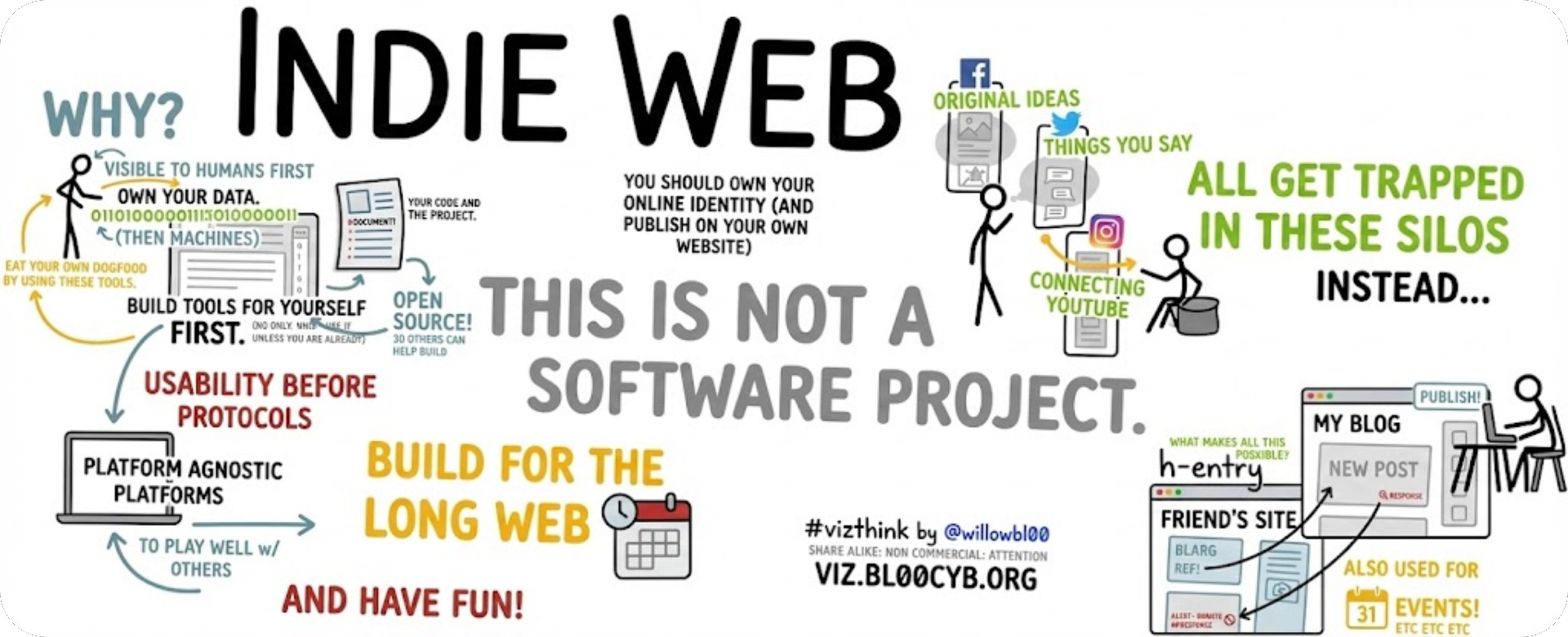
A drawing displaying various principles and ideas of the IndieWeb. Source (modified by the author)
Resources for the Personal Web: A Follow-Up Guide

Last month, I wrote about omg.lol on my Medium blog, and something unexpected happened. The response was surprising! Thousands of reads and a dozen of comments, and dozens of people signing up with my referral, taking the leap into the independent web. People who had been lurking on the sidelines for years suddenly had their own corner of the Internet.
But with that excitement came questions. Where else should I look? What other tools exist? How do I find others like me?
This follow-up is for all of you who read that article and thought, "I'm ready for more." Whether you're a writer exhausted by algorithms dictating your reach, a creator wanting escape from the platform churn, or simply someone who remembers when the Internet felt fun, then this guide is your next step.
The State of Search (Why This Guide is Needed)
Before we dive into resources, we need to talk about why human curation matters more than ever.
Google search is collapsing. Between 2021 and 2025, websites experienced traffic losses exceeding 60% from organic search, with quality content creators punished while AI-generated spam flourished. Confirmed algorithm updates decreased from 10 annually in 2021-2022 to just 4 in 2025, yet volatility reached record-breaking levels.
By 2025, much of the web has been consolidated into walled gardens, polluted by generative AI producing near-infinite low-quality articles, and optimized to death by SEO tactics. For news publishers specifically, Google Web Search traffic declined from 51% to 27% between 2023 and 2025.
This is less about nostalgia than it is survival. Search engines fail and AI floods the void with slop. Human curation becomes essential infrastructure. We need directories. We need blogrolls. We need people pointing to other people.
Forget about using LLMs for research. This is about moving toward a more human, less sterilized, boring Internet. Let's explore the tools that make that possible.
Part One: Sillyblogging with Pika
I'm going to focus this guide for Medium writers and readers, for those who care about the craft of writing. There's a certain expectation when writing on Medium: you're expected to be well-researched, or at the very least, provide value to an audience.
That's important, obviously, but it can be detrimental to your writing if that's the only kind of writing you're doing. You end up obsessed with metrics, with what others are looking for you to write.
What you need is a playground. A sandbox. You might think your private notes or text documents count for this, but no, not really. You need to think in public, learn in public—and writing is one of the best ways to think and learn.
Liberate yourself and give self-permission to write whatever you want, blog about whatever you like, no matter how silly!
Maybe omg.lol is too technical or the cost doesn't seem worth it (even though $20/year is still far cheaper than other options). That's fine, because I found blogging platforms I enjoy even more than omg.lol that have free options.
The first is rather popular: Bear Blog, an ultra-minimalist blogging platform—very web 1.0. If you don't mind having only text, then this option might be right for you.
 illustration of Barry Hess by Shawn Liu on the homepage of https://pika.page/
But if you're looking for something a little more extensible and, in my opinion, fun, let me introduce you to pika.page, a platform created by Good Enough. Good Enough is a zine publisher and small web dev company that makes good small products. Here's their full list:
- Pika: A pretty good blogging platform that makes blogging easy and beautiful. Hop in and start writing for yourself. Barry did. Why don't you?
- Letterbird: A simple contact form on the web. Give people a great experience getting in touch with you, and stop giving out your personal email address.
- Album Whale: A social-light platform where you can make beautiful lists of albums and discover new music through other beautiful lists. Let's bring back albums. And whales.
- DoEvery.Day: A simple calendar and logbook for your daily practice, whatever that may be. Choose what you want to do every day, and do it, every day.
- Printer: They have a little thermal printer hooked up to the internet where people can send them a drawing (won't you, please?).
- Quack (beta): A simple utility to share a beautifully rendered version of any markdown text. Also an excuse for them to draw a duck.
Why Pika?
Pika has a list of features that I think are excellent and compelling:
- Guestbook entries (up to 50)
- Image uploads
- Simple, fun theming
- Custom homepage (footer, CSS, etc.)
- Verification to Mastodon
- Export options
- And, most importantly, a fantastic writing experience
The only catch is that there is a limit of 50 posts on their free tier. After that, it's $6/month or $60/year. Still miles cheaper than Squarespace or Ghost or any other typical options.
And you know what? That's a fantastic limitation to try to reach. How many of us actually produce fifty of anything? At that point, you're serious enough about your craft and public presence that you owe it to yourself to find a better solution and pay the cost that it's worth.
Fifty posts. They don't need to be long-form or deep and meaningful. What's important is that you're writing.
The 100 Days to Offload Challenge
There's actually a specific blogging challenge, created by Kev Quirk, called 100 Days to Offload, where the challenge is to publish 100 posts on your personal blog within 365 days, starting whenever you want, writing about whatever interests you.
One blogger found it increased their web traffic by 20-30x, with some posts getting shared widely enough to receive 250x their usual pre-challenge daily traffic.
The Hall of Fame includes people who've done it multiple times, with some as many as four times over.
Once you reach these kinds of numbers, you'll strengthen your writing, you'll have a voice and something meaningful to offer the world. Ever since I started my own personal site, I notice that not everything I write there ends up on my Medium, and that's okay. Sometimes what I write is too technical or too personal, but I still want it to be public-facing for those who care enough to look and find it.
Part Two: Elsewhere
Creating is only one half of the picture, with community being the other. A oft-repeated criticism of the IndieWeb is how it's more difficult to find others and to socialize. Below are resources to get started and plenty of rabbit holes to fall into.
Search Engines
Let me start with search. There are actually quite a few different search engines you probably have no idea about:
- Kagi: A paid search engine that delivers actually good results and respects your privacy and data. They even have a free Small Web search specifically for discovering independent sites.
- Wiby: A search engine for the classic web, surfacing old-school, lightweight sites.
- Marginalia: Favors text-heavy websites and punishes modern web design bloat.
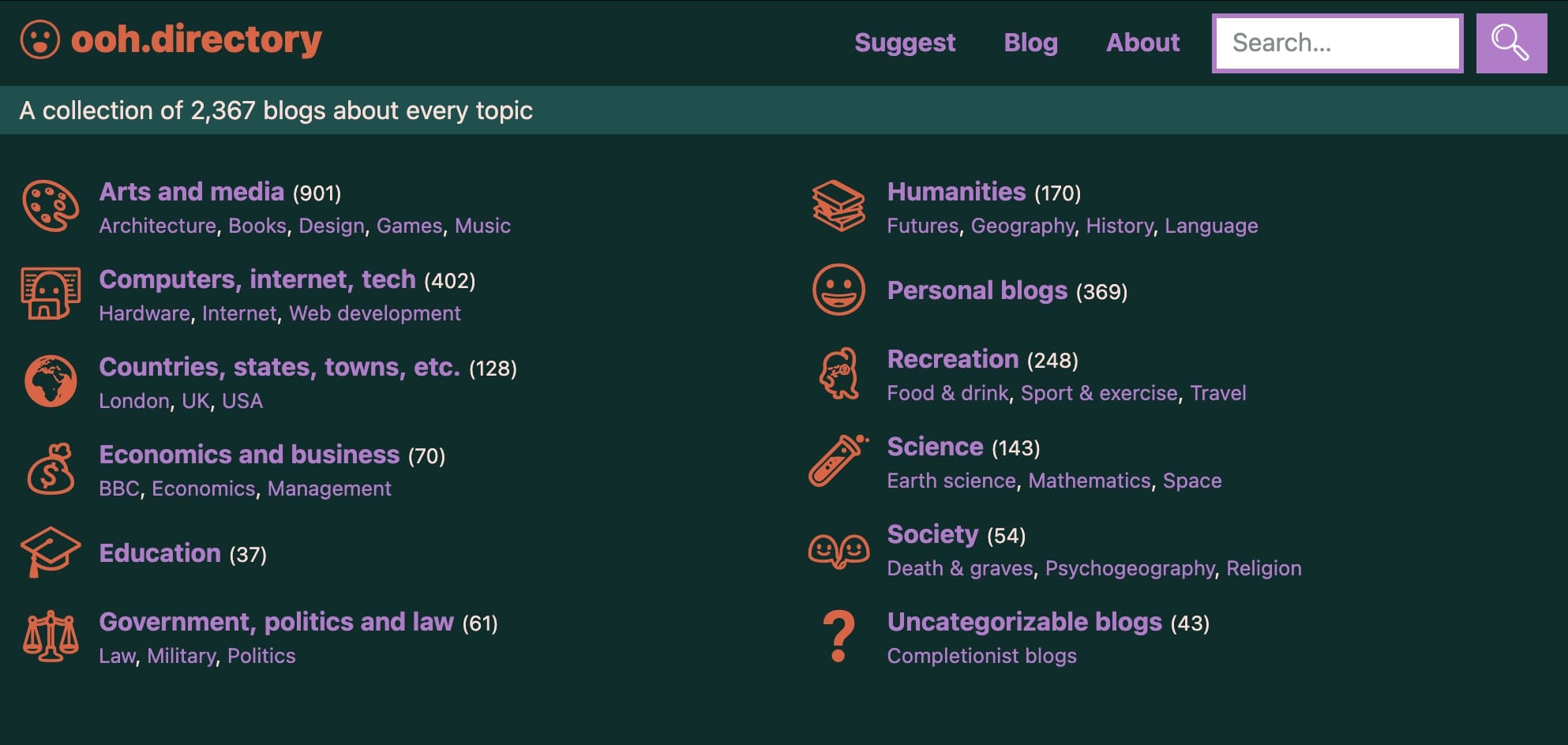 ooh.directory's homepage, featuring a collection of 2,367 blogs organized into categories.
Directories
There are also plenty of directories for discovering personal sites:
- Ye Olde Blogroll: A wonderful, humanly curated list of personal blogs amd independent sites with no algorithms ever, updated regularly.
- URL Town: omg.lol's directory of member submissions.
- Ooh Directory: A handmade catalog of unique and nifty websites.
- Sloop Directory: A New Zealand directory of indie websites.
- Personal Sites: The directory where I discovered Daryl Sun's site, showcasing dozens of websites made by hand.
- Other places to Find Indie Web Content: A resource list from Rafał Pastuszak's digital garden.
And you should think about creating a blogroll yourself! Blogrolls were how people built networked communities in the old blogosphere, a list of other blogs you read and sometimes responded to. They're making a comeback as part of the IndieWeb movement.
Philosophy & Principles
If you're curious about the philosophy behind transitioning from corporate social media to the IndieWeb:
- Rachel has a massive wonderful list of thinkpieces from a wide variety of people on the issue.
- Yesterweb has a long, fascinating manifesto on the subject matter.
- The actual IndieWeb principles start with their wiki, or the specific guide they have.
- Paul Robert Lloyd has a nice little write-up explaining the core ideas.
Web 1.0 Aesthetics
There are certain aspects of Web 1.0 that are fun to emulate:
- 88x31 badges: Small buttons that can link to other websites or act as bumper stickers proclaiming a stance or interest. Dan created a wonderful badge generator you can use to make your own.
- Webrings: A collection of websites linked together in a circular structure, where each site has navigation buttons (Previous, Next, Random) that take you to other sites in the ring. Originally created by Sage Weil in 1994, webrings were wildly popular in the '90s and early 2000s as a way for websites sharing common interests to share traffic with each other. They've been experiencing a major revival in the IndieWeb community since 2018.
- Ray "brisray" Thomas maintains a comprehensive list of active webrings (347+ rings as of 2025), and there's also Tuffy's webring directory.
- Popular ones include the IndieWeb Webring (🕸💍.ws), Hotline Webring, and XXIIVV Webring for artists and developers. Joining a webring is one of the best ways to find like-minded creators and get discovered yourself.
- Slash pages: Robert Knight made a comprehensive list of these essential IndieWeb pages like /now, /uses, /about. Check out my slash-pages and accounts page for examples!
Advanced Mode
Maybe you're already at a point where you want to sink your teeth (and money) into your creative process on the IndieWeb. Here are resources for the next level:
Coding Resources
If you want to learn to code your own site from scratch:
- Sadgrl.online Guides: Tutorials for building your own site, with emphasis on NeoCities.
- Dragonfly Cave's HTML Guide: A thorough introduction to HTML.
- HTML for People: A gentle, human-friendly approach to learning HTML.
- My own 11ty IndieWeb Blog Starter: If you're looking to code from scratch using Eleventy.
Code Editors
Regarding editors to use for coding:
- Sublime Text 4: What I recently switched back to. Fast, lightweight, powerful.
- VS Codium: A VS Code fork with all the Microsoft bloat and spyware removed.
Hosting & Domains
If you're looking for hosting:
- Awesome Self-Hosted: Plenty of self-hosting options if you want full control.
- NeoCities: Free static web hosting with a wonderful community.
- NekoWeb: An alternative to NeoCities with similar vibes.
If you're looking to buy a domain:
- PorkBun: My recommendation. They're cheap and have wonderful customer support.
Browsers
If you're looking for a new browser:
- LibreWolf: Many suggest Firefox, but LibreWolf has even more robust security and privacy built in.
- Ladybird: An upcoming independent browser slated to come out soon.
Misc.
Here are some other resources I'd like to share that don't really fit elsewhere.
- PuppyPaste: A Markdown-to-(formatted)-HTML converter, for me it's a godsend when I'm writing in Markdown and constantly having to copy-paste from plain-text editors to WYSIWYG editors.
- Website Carbon: A website that will tell you the carbon footprint of your website, if you have one.
Joy as Resistance
More than anything, this is about fun. It's about having fun and spreading joy. Create silly websites as a new hobby. Mix and match colors and fonts. Write anything you want. Untense your shoulders and ease the white-knuckle grip.
We must find moments of joy in the horror of our present. Joy is not a prize for getting through it all—joy is a tool that enables us to get through the horror. Our joy is an act of resistance.
The independent web is already here, quietly thriving while Big Tech implodes under its own extractive weight. All you have to do is join it.
Have anything to add? Let me know. This resource post is a living document!




Comments
To comment, please sign in with your website:
How it works: Your website needs to support IndieAuth. GitHub profiles work out of the box. You can also use IndieAuth.com to authenticate via GitLab, Codeberg, email, or PGP. Setup instructions.
Signed in as: