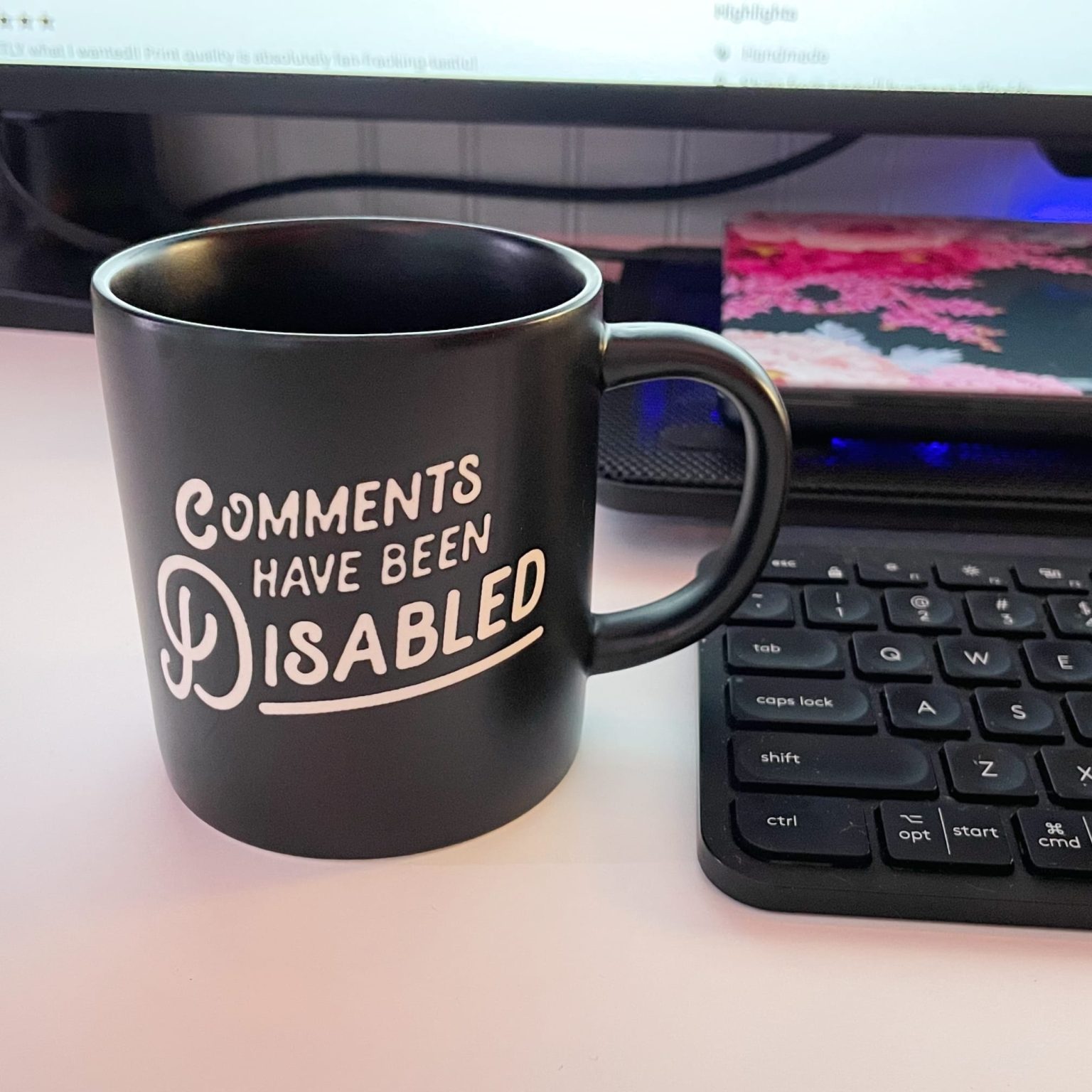
Comments are certainly not disabled on this post, or any other post for that matter! Source
Building an IndieAuth Comment System for Your Static Site

Hello, webcrafter! I added a functional comment section to my static site using IndieAuth and thought it might be helpful to explain how I implemented things. There were quite a few pitfalls along the way that I want to make point of to help anybody else that wants to do something similar. Enjoy the read!
Why Not Just Use Disqus?
Before I start, I know that there are already more convenient solutions. But when you use 3rd-party comment systems, you're giving away conversations, community engagement, and often user data to someone else. Creating your own means you have full ownership and possibility, and you don't have to worry about the bloat from pre-created widgets.
But there's something else. I think it's important we figure out solutions for the IndieWeb and frontend-only JAMstack static websites. It can be tempting to try to figure out databases or start looking at a LAMP stack with PHP and SQL in the back, but I've been a firm believer that the Internet has evolved to a point where we no longer require a full-stack solution, especially when you're dealing with something as simple as a blog or a personal site or something informational.
The onus is on us as developers in this space to figure out solutions for dynamic content within the static space, that is the definition of JAMstack. And that's why I founded Berry House in the first place.
I enjoy having a personal site because it means I can write and display my own personal work however I want. But I think it's also important to implement access to the commons—to have the ability for others to share their thoughts and respond just as easily as it is for me to present my own. I think aa lot of personal sites I've encountered does not have this capability, and they are simply exercising the act of sharing without feedback. Typically. people go to Mastodon or email or webmentions as a way to have communication with other people on the IndieWeb, but that doesn't satisfy the idea I have of commons and communication.
My wants are:
- Comments stored in my GitLab repository via a .JSON file
- Authentication via users' own websites (IndieAuth)
- No tracking, no ads, minimal JavaScript
- Respect of privacy, open web, and digital commons
To do this:
- Comment form that authenticates users via IndieAuth
- Server-side functions to handle the authentication and comment storage
- A lightweight frontend playing nice with the rest of my site
The tools I am using:
- 11ty (Eleventy) for our static site
- Netlify Functions for serverless backend
- GitLab for comment storage
- IndieAuth for authentication
Getting Started with IndieAuth
First, what is IndieAuth? It's a way to sign in to websites using your own domain name. If you have a website, you can use it to log in anywhere that supports IndieAuth, no need for yet another username and password.
To set this up, you need to add two links to your site's <head>:
<link rel="authorization_endpoint" href="https://indieauth.com/auth">
<link rel="token_endpoint" href="https://tokens.indieauth.com/token">
These tell IndieAuth providers where to send authentication requests and where to exchange authorization codes for access tokens. I'm implementing OAuth 2.0 with PKCE (Proof Key for Code Exchange) for security.
Step 1: The Sign-In Form
The comment form starts simple, just asking for the user's website:
<form id="indieauth-form" action="https://indieauth.com/auth" method="get">
  <input id="me" type="url" name="me" placeholder="https://yourdomain.com" required />
  <!-- Hidden fields for OAuth -->
  <input type="hidden" name="client_id" value="https://brennan.day" />
  <input type="hidden" name="redirect_uri" value="https://brennan.day/auth/callback" />
  <input type="hidden" name="state" id="auth-state" />
  <input type="hidden" name="code_challenge" id="auth-code-challenge" />
  <input type="hidden" name="code_challenge_method" value="S256" />
</form>
Step 2: PKCE - Keeping Things Secure
PKCE is what prevents someone from intercepting your authorization code. We generate a random "code verifier" and create a "code challenge" from it:
async function generatePKCE() {
  const verifier = generateRandomString(128);
  const challenge = await sha256(verifier);

  sessionStorage.setItem('pkce_verifier', verifier);

  return {
    verifier: verifier,
    challenge: challenge
  };
}
Step 3: The Callback
After the user authenticates, IndieAuth redirects them back to our site with an authorization code. We handle this in a Netlify function that:
- Verifies the state parameter matches what we sent
- Exchanges the code for an access token
- Passes the token back to our main page
Pitfall: CORS
My first pitfall. When I first tried to exchange the authorization code from the frontend, I hit this error:
Cross-Origin Request Blocked: The Same Origin Policy disallows reading the remote resource at https://tokens.indieauth.com/token
Browsers won't let you make requests to other domains from your JavaScript unless that domain explicitly allows it. And IndieAuth's token endpoint doesn't include the necessary CORS (Cross-Origin Resource Sharing) headers.
The solution? A server-side proxy. I created a Netlify function that handles the token exchange for us:
// netlify/functions/token-exchange.js
exports.handler = async (event, context) => {
  const response = await fetch('https://tokens.indieauth.com/token', {
    method: 'POST',
    headers: {
      'Content-Type': 'application/x-www-form-urlencoded',
      'Accept': 'application/json'
    },
    body: querystring.stringify({
      grant_type: 'authorization_code',
      code: body.code,
      client_id: body.client_id,
      redirect_uri: body.redirect_uri,
      code_verifier: body.code_verifier
    })
  });

  // Return the response with proper CORS headers
  return {
    statusCode: 200,
    headers: {
      'Access-Control-Allow-Origin': '*',
      'Content-Type': 'application/json'
    },
    body: JSON.stringify(await response.json())
  };
};
Storing Comments in Git
The idea of storying the comments in the Git repository means:
- Comments are version controlled
- They survive site rebuilds
- We can edit them manually if needed
- They're backed up with our site code
The Comment Function
The comment API function does a few things:
- Verifies the access token with IndieAuth
- Fetches existing comments from GitLab
- Adds the new comment
- Commits everything back to the repository
Here's the core logic:
// Fetch existing comments
async function fetchComments() {
  const response = await fetch(
    `https://gitlab.com/api/v4/projects/${projectId}/repository/files/src%2F_data%2Fcomments.js/raw?ref=main`,
    { headers: { 'Private-Token': gitlabToken } }
  );

  const content = await response.text();
  const match = content.match(/module\.exports = ({[\s\S]*});/);
  return JSON.parse(match[1]);
}

// Save comments back to GitLab
async function saveComments(comments) {
  const fileContent = `module.exports = ${JSON.stringify(comments, null, 2)};`;

  await fetch(`https://gitlab.com/api/v4/projects/${projectId}/repository/commits`, {
    method: 'POST',
    headers: {
      'Content-Type': 'application/json',
      'Private-Token': gitlabToken
    },
    body: JSON.stringify({
      branch: 'main',
      commit_message: `Update comments - ${new Date().toISOString()}`,
      actions: [{
        action: 'update',
        file_path: 'src/_data/comments.js',
        content: fileContent
      }]
    })
  });
}
The Build Process
When someone posts a comment, it doesn't appear immediately because it's a static site generator. The site needs to rebuild.
To handle this gracefully:
- Show a success message explaining what's happening
- Wait a few seconds for the build to start
- Refresh the page to show the new comment
showStatus('Comment posted successfully! The site is rebuilding now. Your comment will appear in a moment. This page will refresh automatically...', 'success');

setTimeout(() => {
  showStatus('Refreshing page to show your comment...', 'info');
  setTimeout(() => {
    window.location.reload();
  }, 2000);
}, 3000);
Pitfall: Template Functions
I tried to use getenv() in my Nunjucks template to check if we were in development:
{% if getenv("NETLIFY_DEV") == "true" %}
<!-- do something different for dev -->
{% endif %}
This results in a build error because Nunjucks doesn't have a getenv() function by default. The fix was to handle environment-specific logic in JavaScript instead of the template.
Pitfall: Date Formatting
Comments are saved with new Date().toISOString() which gives us a string like "2026-01-07T16:57:00.000Z". But the readableDate filter expected a JavaScript Date object.
The fix? Update the filter to handle both:
eleventyConfig.addFilter("readableDate", (dateObj) => {
  if (typeof dateObj === 'string') {
    return DateTime.fromISO(dateObj, { zone: "America/Edmonton" }).toFormat("MMMM d, yyyy 'at' h:mm a");
  }
  return DateTime.fromJSDate(dateObj, { zone: "America/Edmonton" }).toFormat("MMMM d, yyyy 'at' h:mm a");
});
After figuring out everything, I ended up with a comment form that respects users' privacy, using IndieAuth integration with PKCE security. Serverless functions handle both the auth and comments, which are stored and version-controlled in my repo, and the clear feedback after posting a comment helps with the UX.
All the code for this comment system is open source in my GitLab repository. Feel free to adapt it for your own site
Future Implementations
Right now, the comment system is rather barebones. There are plenty of features that could be added in the future, such as replies and comment threading, the ability to edit/delete comments, email/webmention notifications, avatar fetching from websites, and anti-spam measures.
Join the IndieWeb
If this resonates with you, I encourage you to explore the IndieWeb movement! It's about owning your content, connecting personal sites sites, and building a better web together. You can get started on omg.lol, NeoCities, or from scratch with something like my 11ty IndieWeb starter.
How to Comment Here with Your Own Site
Want to leave a comment using your IndieAuth-enabled website? It's easy! Just:
-
Set up IndieAuth on your site - Add the authorization and token endpoint links to your website's
<head>(as shown earlier in this post). You can authenticate using:- GitHub - Add a link to your GitHub profile:
<link rel="me" href="https://github.com/yourusername"> - Email - Add a mailto link:
<link rel="me" href="mailto:you@example.com"> - Twitter - Add a link to your Twitter profile:
<link rel="me" href="https://twitter.com/yourusername"> - Services like omg.lol have this pre-configured for you!
- GitHub - Add a link to your GitHub profile:
-
Use your website URL - In the comment form below, simply enter your full website URL (e.g.,
https://yoursite.com) and click "Sign In" -
Authenticate on your own domain - You'll be redirected to authenticate using your own website - no third-party accounts needed!
That's it! Once authenticated, you can post comments that are verified as coming from your domain. This is the beauty of IndieAuth - your website becomes your identity.
Start small:
- Add IndieAuth to your site
- Set up webmentions
- Build your own comment system
- Join a webring, add some 88x31 badges!
Every step toward owning your digital presence is a victory for the open web.
Conclusion
Right now, I've simply added the ability for people to add comments, but this technology and solution open doors for a lot of different implementations that simply require imagination and curiosity.
This is a bit of a moonshot project, but in the future, I would love to start an IndieWeb JAMstack literary journal or publication. I'm much more of a writer than I am a web developer (I got my degree in English instead of computer science, after all). And my favourite projects are the ones that are a hybrid of the humanities and sciences.
I really love the idea of people being able to freely submit their work and to collaboratively workshop and share in a space that isn't Google Docs or another corporate-owned silo with heavy surveillance and data exploitation.
I feel as though there's a lot of meat on this to chew on, like figuring out interesting ways to use handcoded HTML and CSS to make really interesting and creative zines.
And I understand that there's a lot of friction with these solutions right now, simply because they are rather obscure and niche, and a lot of people prioritize convenience over their privacy and freedom. But we're luckily seeing a shift in culture in the trade-off of expediency for our personhood and identity.
Maybe it's over-optimistic of me, and maybe I'm going to jinx it, but I truly feel that 2026 is going to be the year of the independent web. I feel as though there's a cascade and critical mass occurring of people who are going to discover that there are alternative, more ethical, and most importantly, more fun ways to use and create the Internet for all of us.
The tools are here. The community is growing. The only thing missing is you. What will you build?
Resources
What do you think? Have you built your own comment system? What challenges did you face? Let me know in the comments below... oh wait, you can! Just use your website to sign in. 😊



Comments
To comment, please sign in with your website:
How it works: Your website needs to support IndieAuth. GitHub profiles work out of the box. You can also use IndieAuth.com to authenticate via GitLab, Codeberg, email, or PGP. Setup instructions.
Signed in as: