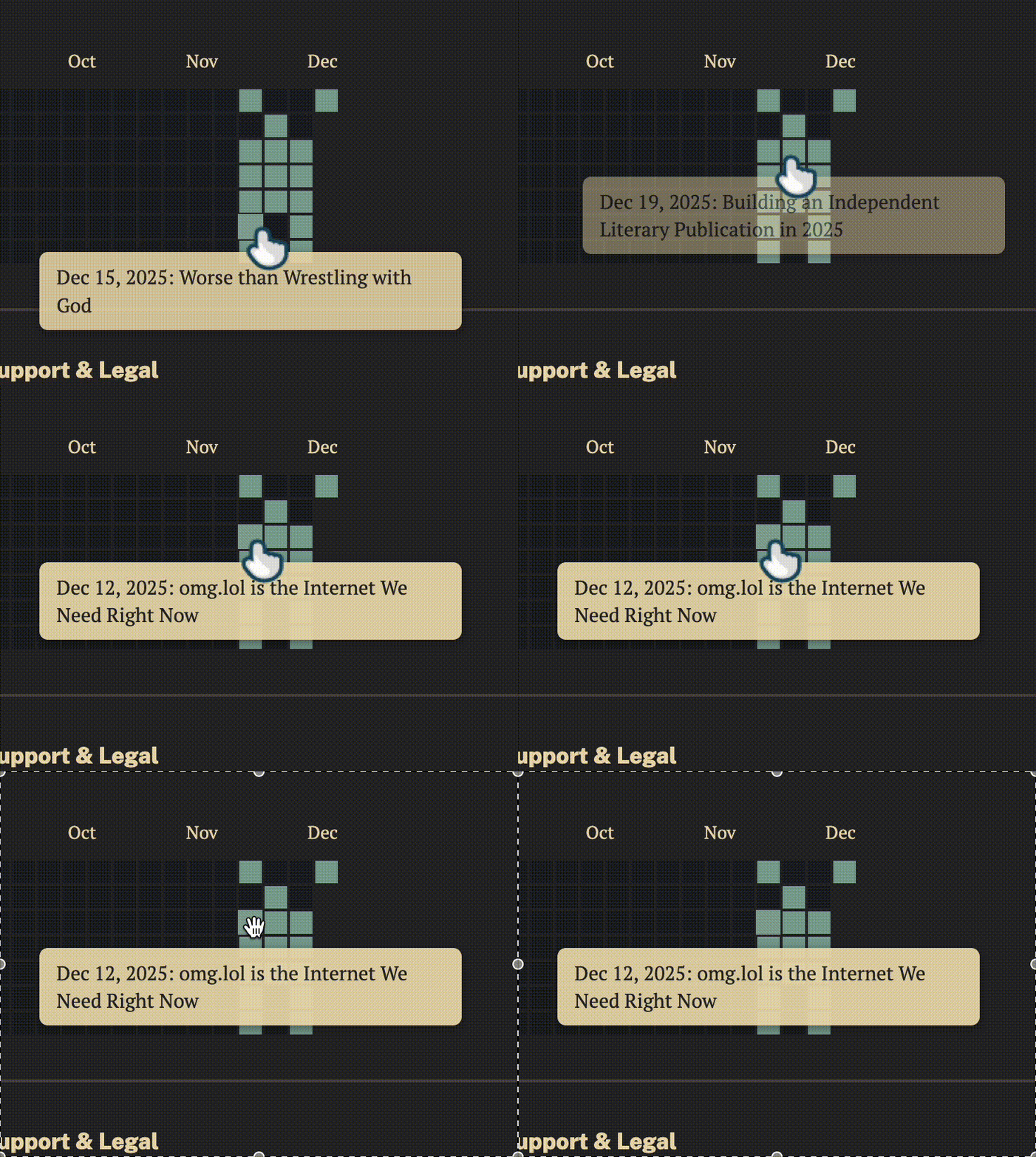
An animated GIF of my site's post graph with clickable links and hover tooltips showing article titles.
Extending the Post Graph Plugin: Adding Clickable Links and Tooltips

I'm sure I'm not the only person that's motivated by GitHub's contribution graph. Of course, they have their fair share of valid criticism and can easily be exploited. But when they are used for their as they're supposed to, as a way of simply keeping track and visually displaying progress, I think they're fun and fuflling.
I'm not the only one that thinks this. Creator of web curios, Robb Knight, created the eleventy-plugin-post-graph, which emulates the contribution graph for posts on your 11ty blog.
And it was 2 AM (maybe 3 AM) and I couldn't sleep. I was having one of those nights where my brain just wouldn't shut off. I was staring at my homepage, clicking through the archive, and thought, "wouldn't it be cool if these little green squares actually did something?"
I decided that I wanted to enhance the features of this, specifically, I wanted users on desktop to be able to hover and click on filled squares and jump directly to corresponding posts. Here's how I did it.
The plugin @rknightuk/eleventy-plugin-post-graph is configured in .eleventy.js and rendered via this simple shortcode:
{% postGraph collections.posts %}
The Challenge
The plugin only tracked post counts per day, not which posts corresponded to which dates. While it does handle finding dates from either the frontmatter (post.data.date) or the file itself (post.date), there's no way to get the actual post URLs or titles from the plugin itself. It's purely a visualization tool.
Additionally, I needed to consider timezones, a common pitfall in Eleventy functionality. Some of my posts had timezone information (2025-12-26T12:00:00-07:00) while others were simple dates (2025-12-11).
First mistake? I tried monkey-patching the plugin. Don't do that. It's a mess, and honestly, I spent two hours before realizing I was being an idiot.
Solution: Custom Shortcode Implementation
Rather than modifying node_modules I decided to create to write custom shortcode, which gave me full control over the HTML output and data handling. Much cleaner.
1. Data Collection and Timezone Handling
Timezones in JavaScript are... special. The key was using Luxon and being consistent with the America/Edmonton timezone that the rest of my site uses.
for (let post of postsCollection) {
  const postDate = post.date || post.data.date;
  const postTitle = post.data.title || '';

  // Normalize date using Luxon with America/Edmonton timezone
  let dt;
  if (typeof postDate === 'string') {
    if (!postDate.includes('T')) {
      // For dates without time, simply add noon to avoid timezone issues
      dt = DateTime.fromISO(postDate + 'T12:00:00', { zone: "America/Edmonton" });
    } else {
      dt = DateTime.fromISO(postDate, { zone: "America/Edmonton" });
    }
  } else {
    dt = DateTime.fromJSDate(postDate, { zone: "America/Edmonton" });
  }

  const postYear = dt.year;
  const dateIndexKey = `${postYear}-${dt.ordinal}`;

  // Store URL and title alongside the count
  postMap.urls[dateIndexKey] = post.url;
  postMap.titles[dateIndexKey] = postTitle;
}
Insights:
- Using Luxon (already a dependency) for consistent timezone handling
- Adding
T12:00:00to date-only strings to avoid midnight boundary issues - Using
ordinal(day of year) for efficient date indexing
2. HTML Generation with Links
This part was actually pretty straightforward once the data structure was correct. Each filled square needed to be wrapped in an anchor tag. I needed to handle escaping quotes properly.
if (postCount > 0 && postUrl) {
const tooltipText = `${DateTime.fromObject({ year: parseInt(year), ordinal: index + 1 }).toFormat('MMM d, yyyy')}: ${postTitle}`;
return `<a href="${postUrl}" class="epg__link epg__tooltip-trigger" data-tooltip="${tooltipText.replace(/"/g, '"')}">
<div class="epg__box epg__hasPost"></div>
</a>`;
}Each filled square is now wrapped in an anchor tag with:
- The post URL for navigation
- A
data-tooltipattribute containing date and title - CSS classes for styling and interaction
3. Tooltip Implementation
I added a hovering tooltip system similar to the existing tooltips for the alt-text of images:
function initPostGraphTooltips() {
  const tooltip = document.createElement('div');
  tooltip.className = 'post-graph-tooltip image-tooltip';
  document.body.appendChild(tooltip);

  const triggers = document.querySelectorAll('.epg__tooltip-trigger');

  triggers.forEach(trigger => {
    trigger.addEventListener('mouseenter', (e) => {
      const tooltipText = trigger.getAttribute('data-tooltip');
      tooltip.textContent = tooltipText;
      tooltip.classList.add('visible');
      // Position logic...
    });
  });
}
The tooltip reuses existing CSS classes, positions itself above the square (with fallback to below if needed), and handles viewport edgecases and updates position on scroll. I also added hover effects for better UX:
.epg__hasPost:hover {
  opacity: 0.8;
  transform: scale(1.1);
  transition: all 0.2s ease;
}

.epg__link:hover .epg__box {
  filter: brightness(1.2);
}
Thoughts and Results
Creating a custom shortcode ended up being cleaner than patching the plug-in itself. And using the same timezone handling the rest of my site has prevented any date alignment issues.
The graph remains functional even without JavaScript, following the principle of progressive enhancement. And semantic HTML and ARIA attributes are used for accessibility.
The post graph now provides an interactive experience, with the static visualization now an interactive navigation tool!
I want to also note that the original plugin had quite a few features I didn't implement. There's a dayBoxTitle option that adds basic date tooltips (which I expanded to include post titles), year linking for archive pages, support for multiple graphs with different styles, and even custom data options for unusual Eleventy setups. I kept things simple since I just needed the core functionality with my tooltip enhancement, but it's cool to see how much thought Robb put into the original plugin.
You can read the full code here, starting on line 431. Feel free to steal it, adapt it, or make it better. That's what this web thing is all about.



Comments
To comment, please sign in with your website:
How it works: Your website needs to support IndieAuth. GitHub profiles work out of the box. You can also use IndieAuth.com to authenticate via GitLab, Codeberg, email, or PGP. Setup instructions.
Signed in as:
No comments yet. Be the first to share your thoughts!